
Table of Contents
- What to Look for in an IT Support Provider for SMEs: Key Evaluation Criteria
- Managed IT Services for Small Businesses: Understanding Your Options
- Cybersecurity for Small Businesses: Non-Negotiable Protection Standards
- Cost of IT Support for Small Business: Pricing Models and Value
- IT Support Contract for Small Business: Essential Terms and Exit Strategies
- Local Expertise and Cultural Fit: Why Soft Skills Matter
- Support Availability and Technical Depth: What Real Responsiveness Looks Like
- Scalability and Future-Proofing: Growing Without Disruption
What to Look for in an IT Support Provider for SMEs
Last Updated: July 22, 2026
Choosing the right IT support provider can mean the difference between smooth operations and costly downtime. This guide from Ibertech Solutions covers what to look for in an IT support provider for SMEs, helping you navigate the options and make an informed choice that aligns with your business needs.
Many SME leaders struggle with evaluating an IT support provider when lacking in-house technical expertise. Poor IT support exposes your business to security threats, operational disruptions, and wasted resources. At Ibertech Solutions, we’ve worked with businesses across Norfolk and Suffolk to identify the key criteria that separate a genuinely valuable partner from one that merely responds to crises.
Below, we’ll walk you through essential evaluation criteria, from security capabilities to pricing models to contract terms that protect your interests. Whether you’re switching providers or selecting one for the first time, these insights will help you ask the right questions and avoid common pitfalls.
Why Provider Selection Matters for Small Businesses
Selecting an IT support provider is not a commodity decision. The provider you choose becomes an extension of your leadership team, responsible for systems that directly impact revenue, customer trust, and regulatory compliance. A poor choice cascades into multiple problems: unpatched vulnerabilities that invite breach attacks, slow response times that leave staff unable to work, or inflexible contracts that lock you into poor service for years.
When systems go down, employees stop being productive, customers cannot reach you, and data may be at risk. For a 15-person manufacturing firm, even four hours of downtime can represent thousands of pounds in lost output.
The best time to evaluate your IT support provider is before you need them urgently. Businesses that choose providers reactively, after a crisis, often end up with whoever can respond fastest, not whoever is best.
For SMEs, a Managed Services Provider (MSP) becomes your de facto Chief Technology Officer. That person needs to understand your business, communicate clearly, and think strategically about your infrastructure, not just fix tickets when they arrive.
Managed IT Services for Small Businesses: Understanding Your Options
When evaluating IT support options, you’re essentially choosing between two fundamentally different service models, each with distinct advantages and trade-offs.
Managed Services vs. Break-Fix Support
A Managed Services Provider (MSP) delivers proactive, ongoing support under a flat-rate contract. Your systems are monitored continuously, patches are applied before vulnerabilities become exploits, and your infrastructure is maintained like a car service, regular maintenance prevents breakdowns. You pay a predictable monthly fee regardless of how many issues arise.
Break-fix support is reactive. You call when something breaks, the provider fixes it, you pay per incident. This model appeals to businesses with minimal IT needs and tight budgets, but it creates perverse incentives: the provider profits when problems are frequent and complex, not when they’re prevented.
For SMEs, Managed Services typically cost more per month but eliminate surprise invoices and reduce total cost of ownership over time. Break-fix support feels cheaper upfront but often becomes expensive quickly, especially when a critical failure occurs on a Friday evening.
Managed Services align the provider’s financial incentive with your success: they make money by keeping systems running smoothly, not by billing for emergency repairs.
Proactive Monitoring and Preventative Maintenance
What separates a genuinely managed service from a break-fix operation is the depth of proactive monitoring. A strong MSP monitors your network 24/7 using dedicated tools that watch for anomalies: unusual traffic patterns, failed backup jobs, disk space running low, security threats attempting to establish footholds. When an issue is detected, the provider fixes it before you notice.
Preventative maintenance includes regular patch management, capacity planning, and security audits to ensure your systems aren’t drifting into vulnerable states. Ask potential providers: "What systems do you use for monitoring?" and "How often do you perform preventative maintenance?" Specific answers naming tools like Nagios or Zabbix indicate genuine proactive capability.
Cybersecurity for Small Businesses: Non-Negotiable Protection Standards
Cybersecurity is no longer optional for SMEs. Ransomware gangs, phishing campaigns, and data brokers actively target small businesses because they assume smaller firms have weaker defences. Your IT support provider must treat security as foundational, not as an add-on.
Threat Detection and Incident Response
Modern threats often bypass traditional antivirus, so your provider should deploy endpoint detection and response (EDR) tools that monitor endpoint behaviour for signs of compromise. Ask about their approach: Do they use artificial intelligence to identify suspicious patterns? Do they maintain threat intelligence feeds? Can they detect lateral movement?
Equally important is incident response capability. If a breach occurs, your provider should have a documented playbook: isolate affected systems, preserve evidence, notify relevant parties, restore from clean backups. Providers without a clear incident response plan will waste critical hours figuring out what to do while attackers consolidate access.
A provider who cannot articulate their incident response process is a liability. Breaches happen to even well-defended organisations. The difference between a contained incident and a catastrophic one is how quickly and methodically you respond.
Access Controls and Data Backup
Access controls mean implementing role-based permissions so staff can only access systems and data relevant to their role. Your IT support provider should help you design and enforce these controls.
Data backup is your insurance policy against ransomware. Ask potential providers about their backup strategy: How often do backups run? Are they tested regularly? Are backups stored offline, so ransomware can’t encrypt them too? Can you restore individual files, or only entire systems?
| Security Element | What to Verify | Red Flag |
|---|---|---|
| Threat Detection | EDR tools, AI-based monitoring, threat intelligence | "We use antivirus" only |
| Incident Response | Documented playbook, regular drills, clear escalation | No formal process defined |
| Access Controls | Role-based permissions, MFA enforcement, regular audits | "Everyone has the same password" |
| Data Backup | Tested regularly, offline copies, granular restore options | Backups exist but untested |
Cost of IT Support for Small Business: Pricing Models and Value
Cost is a legitimate concern for SMEs, but choosing the cheapest provider often means paying more in the long run through poor service, security incidents, or unexpected emergency fees.
Flat-Rate vs. Hourly Pricing
Flat-rate pricing means you pay a fixed monthly fee for a defined scope of service. This creates predictable costs and aligns incentives, your provider profits by keeping you running smoothly, not by billing hours. Most modern MSPs use flat-rate models because they’re transparent and sustainable.
Hourly pricing charges you for time spent. This model suits one-off projects but creates misaligned incentives for ongoing support. For SMEs, flat-rate pricing is almost always preferable. You can budget accurately, and you’re not penalised for having problems that take longer to resolve.
Understanding Predictable Costs
A comprehensive flat-rate package typically covers 24/7 monitoring and helpdesk support, proactive maintenance and patching, basic backup and disaster recovery, security scanning and threat detection, and hardware and software support. Services that often cost extra include cloud migration, custom development, compliance consulting, and hardware replacement.
Ask potential providers for a detailed scope document that lists what’s included and what isn’t. Vague pricing ("starting at £X per user per month") suggests hidden costs will emerge later.
Request a detailed quote that breaks down exactly what services are included [for your](/wordpress-maintenance-services-uk-expert-solutions-for-your-site) specific business. A provider who can’t itemise their offering clearly is either disorganised or deliberately obscuring costs.
IT Support Contract for Small Business: Essential Terms and Exit Strategies
Your contract with an IT support provider is where theoretical promises become legal obligations. Contracts are negotiable, and the terms matter.
Service Level Agreements and Response Times
A Service Level Agreement (SLA) defines the provider’s commitment to you: response times, resolution times, and availability guarantees. Response time is how quickly the provider acknowledges your issue and begins work. Resolution time is how long until the issue is actually fixed.
For SMEs, insist on written SLAs with specific time commitments. Define what "critical" means explicitly. Also ask about SLA credits, what happens if the provider misses their commitment? Reputable providers offer service credits if they fail to meet SLAs.
Contract Flexibility and Exit Clauses
Avoid multi-year contracts with automatic renewal. Insist on annual contracts with a clear exit clause: if the provider fails to meet SLAs consistently or if your needs change, you should be able to leave with reasonable notice (typically 30-60 days). The provider should also be obligated to help transition your systems to a new provider.
Ask about data portability: If you leave, can you export your configurations, backups, and settings in standard formats? A provider confident in their service welcomes this question. Also clarify what happens to your data if the provider goes out of business. Reputable providers carry errors-and-omissions insurance and have contingency plans to transfer your systems to another provider if they close.
Local Expertise and Cultural Fit: Why Soft Skills Matter
Technical capability is necessary but not sufficient. You also need a provider who understands your business, communicates clearly, and genuinely cares about your success.
Business Continuity Planning and BCDR
Business Continuity and Disaster Recovery (BCDR) is more than just having backups. A provider with genuine business continuity expertise will ask: What’s your maximum acceptable downtime? What data is most critical to restore first? Can you operate from home if your office is unavailable?
For businesses in Diss and across Norfolk and Suffolk, local providers have an advantage: they can visit your office, understand your physical setup, and design recovery strategies that account for local factors. They know which internet providers are reliable in your area and how to design redundancy that makes sense for your geography.
Industry-Specific Compliance Knowledge
Many SMEs operate in regulated industries: healthcare, finance, legal services, manufacturing with safety requirements. Your IT support provider needs to understand the compliance obligations specific to your industry.
Ask potential providers: "Have you worked with businesses in my industry? What compliance requirements do you understand?" Specific, knowledgeable answers suggest they’ve done this work before.
Support Availability and Technical Depth: What Real Responsiveness Looks Like
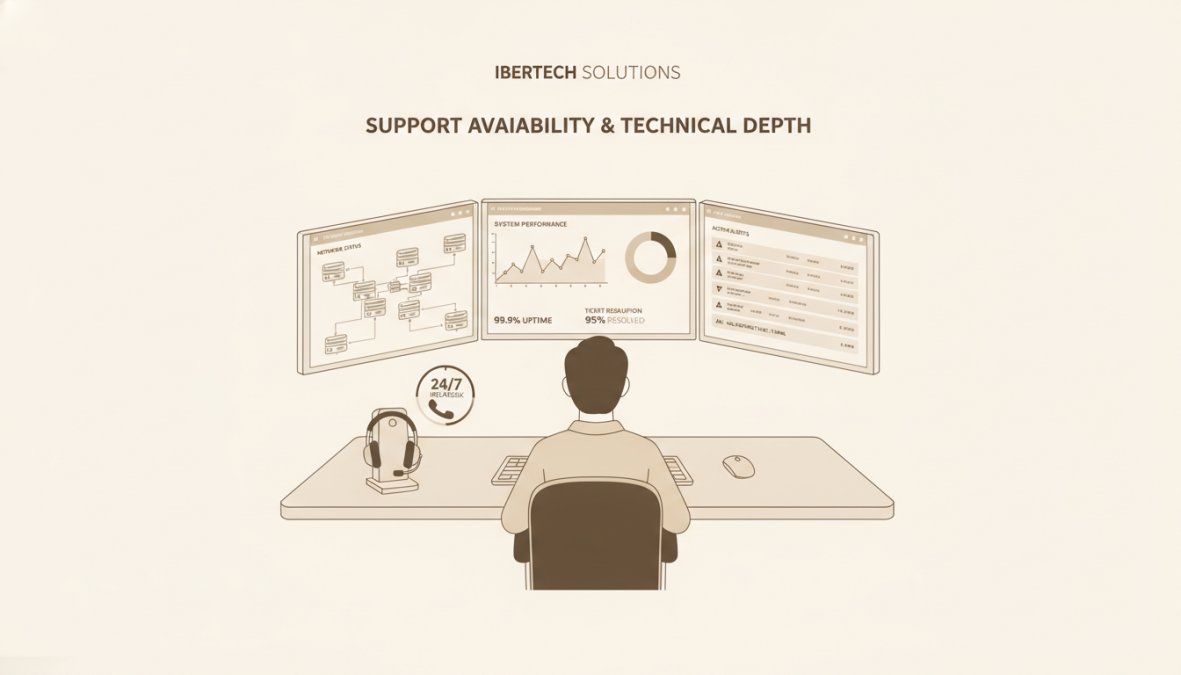
Responsiveness means more than answering the phone quickly. It means having the technical depth to solve problems and the availability to respond when you need help.
24/7 HelpDesk and On-Site Capabilities
A 24/7 HelpDesk means you can reach someone whenever you need help. For businesses that operate evenings or weekends, or that have staff in different time zones, 24/7 availability is essential. At minimum, your provider should offer 24/7 phone support for critical issues.
On-site support matters for complex issues that can’t be resolved remotely. Hardware failures, network configuration problems, and physical security concerns sometimes require someone physically present. Ask potential providers: "Do you offer on-site support? How quickly can you dispatch someone?" Providers in Diss should be able to reach you within a few hours for urgent issues.
Certifications and Third-Party Validation
Technical certifications don’t guarantee competence, but they’re a useful signal. Look for providers with relevant certifications: Microsoft Certified Systems Administrator, CompTIA Security+, or Cisco certifications. These certifications require passing rigorous exams and staying current with technology changes.
Third-party validation matters too. Has your provider been audited by a reputable security firm? Do they hold ISO 27001 certification? Have they passed SOC 2 audits? Ask for references from businesses similar to yours. Ask those customers: Did the provider deliver what they promised? How responsive are they?
Scalability and Future-Proofing: Growing Without Disruption
Your IT infrastructure should grow with your business, not constrain it. A provider with genuine scalability expertise will help you plan infrastructure that grows incrementally without requiring ripping everything out and starting over.
Ask potential providers: "How do you handle growth? If we double in size next year, what changes to our infrastructure?" Also ask about technology roadmaps. What’s changing in your industry? How will your provider adapt your systems to address emerging threats? Providers who think strategically about the future are more valuable than those who react to immediate problems.
Selecting the right IT support provider is one of the most important decisions you’ll make for your business infrastructure. The criteria outlined above, security capabilities, proactive monitoring, clear pricing, flexible contracts, technical depth, and scalability, form a comprehensive framework for evaluation.
When you’re ready to move forward, Ibertech Solutions offers comprehensive IT support tailored specifically for SMEs across Norfolk and Suffolk. Our team provides 24/7 monitoring and helpdesk support, proactive maintenance, advanced threat detection, and flexible contracts with genuine exit clauses. We understand local business needs and work with you to design infrastructure that supports growth without disruption. Get in touch with Ibertech Solutions today to discuss how we can strengthen your IT operations and give you the confidence to focus on running your business.
Frequently Asked Questions
What is the difference between managed IT services and break-fix support for small businesses?
Managed IT services involve proactive monitoring, preventative maintenance, and flat-rate pricing, allowing you to predict costs and prevent downtime. Break-fix support is reactive, you pay only when something fails. For SMEs, managed services typically offer better value because they reduce costly downtime and include threat detection, patch management, and strategic IT planning rather than emergency-only responses.
How should I evaluate an IT support contract for small business before signing?
Review the Service Level Agreement (SLA) for response times, check whether the contract includes exit clauses and termination flexibility, confirm cybersecurity standards like access controls and data backup, and verify 24/7 HelpDesk availability. Ask about industry-specific compliance requirements your business faces. Ensure the provider offers both remote support and on-site support, and request references from similar-sized businesses.
What cybersecurity measures should a small business IT support provider include?
Essential cybersecurity for small businesses includes threat detection and managed detection and response (MDR), regular patch management, robust access controls, encrypted data backup and BCDR capabilities, and employee training on security best practices. Your provider should conduct regular IT audits, maintain third-party security certifications, and have a documented incident response plan. This protects your business from costly breaches and downtime.
How much does IT support typically cost for a small business?
Pricing depends on your business size, systems complexity, support level required, and whether you choose flat-rate or hourly models. Flat-rate pricing offers predictable costs and is popular with SMEs; hourly pricing suits businesses with minimal needs. For an accurate quote tailored to your specific requirements, it's best to contact providers directly and compare what's included, HelpDesk support, proactive monitoring, cybersecurity, and BCDR all affect the total investment.