

Table of Contents
- Why Your Business Should Transition from Landline to VoIP
- Assess Your Current Setup and Readiness
- Understanding How to Port a Landline Number to VoIP
- Landline to VoIP Number Transfer Time: What to Expect
- VoIP Equipment for Small Business: What You Need
- VoIP Backup and Power Outage Planning
- Common Challenges and How to Solve Them
- Frequently Asked Questions
Last Updated: October 10, 2026
Why Your Business Should Transition from Landline to VoIP
Moving away from traditional landlines is no longer optional for most small businesses. A transition from landline to VoIP offers flexibility, cost savings, and features that older phone systems simply cannot match.
VoIP (Voice over Internet Protocol) sends your calls through the internet instead of copper wires. This means you can take your business number anywhere. Your team works from home, the office, or on the road, the phone system follows them.
The shift also simplifies your setup. You need fewer pieces of hardware. You avoid lengthy contracts. You gain access to features like call recording, voicemail-to-email, and automatic call routing without paying extra for each one.
Most businesses find the actual switch less disruptive than they expect. The process is straightforward when you plan properly. We’ll walk you through every step.
Assess Your Current Setup and Readiness
Before you move forward, take stock of what you have now. Understanding your current infrastructure tells you what needs to change and what can stay.
Start with your existing phone lines. How many do you use? Which ones handle customer calls, and which are for internal use only? Write this down. You’ll need these numbers when you contact your VoIP provider.
Next, check your internet connection. VoIP runs on data, so your broadband speed matters. A reliable connection with at least 1.5 Mbps per call is the baseline. If you have five people making calls simultaneously, you need 7.5 Mbps minimum. Test your current speed using a free tool online.
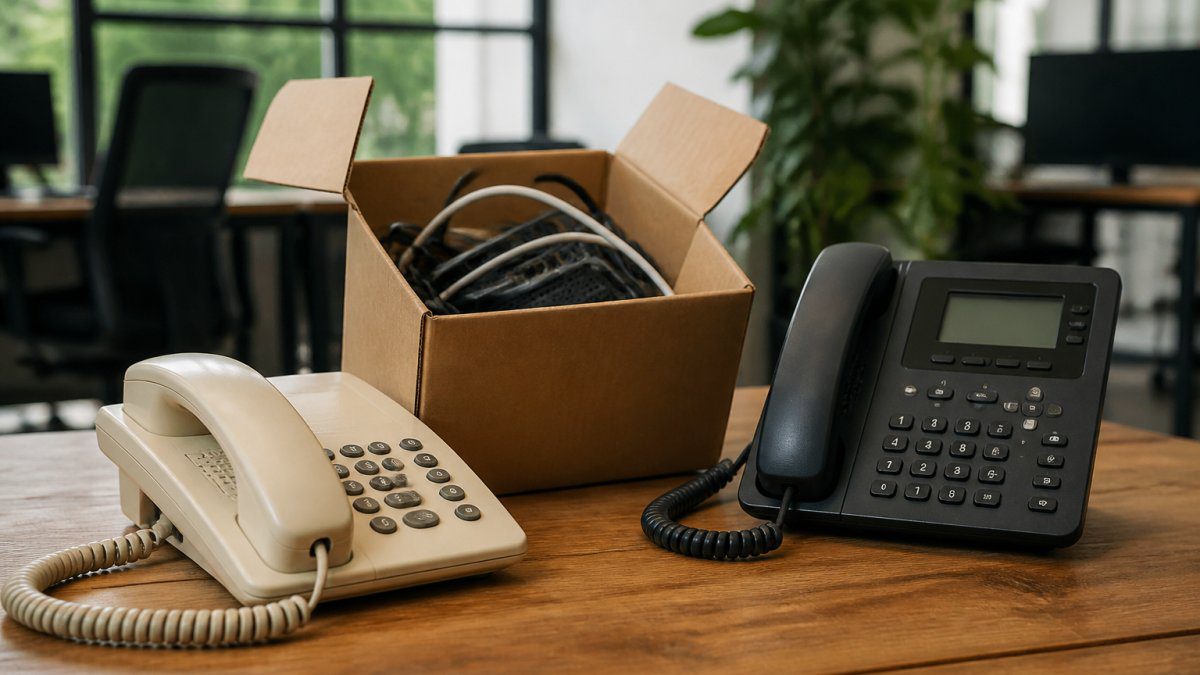
Look at your phone hardware too. Your current phones plug into wall jacks connected to the landline. VoIP phones connect to your network via ethernet or WiFi. Some businesses keep their old phones and buy adapters. Others buy new VoIP handsets. Both work, it depends on your budget and how long you plan to keep your current equipment.
Consider your power setup. Landlines work during power cuts because the telephone company’s infrastructure has backup power. VoIP depends on your electricity. If you lose power, your internet goes down, and so do your calls. We’ll address this in the backup section below.
Finally, check whether you’re under contract with your current landline provider. Some contracts have early termination fees. Knowing this upfront helps you plan your budget and timeline.
Understanding How to Port a Landline Number to VoIP
One of the biggest concerns businesses have is keeping their existing phone number. The good news: you can. This process is called porting a landline number to VoIP.
What Happens During the Transfer
When you port your number, your existing landline provider hands it over to your new VoIP provider. The process typically takes 5 to 10 business days, though it can sometimes be faster.
Here’s what happens behind the scenes:
- Your new VoIP provider submits a request to port your number
- Your old provider receives the request and verifies you own the number
- The old provider releases the number to the new provider
- Your new provider activates it in their system
- Your calls route to your new VoIP service
During the transfer window, your old line may go quiet for a few hours. Some providers arrange a brief overlap so both systems work at the same time. Ask your new VoIP provider about this.
One important detail: you cannot port a number that is still under contract with a penalty. If your landline contract has a termination fee, you’ll need to pay it or wait until the contract expires.
Documentation You’ll Need
Gathering the right paperwork speeds up the porting process. Have these documents ready before you contact your new VoIP provider:
- Your current phone bill (shows your account number and the number you want to port)
- Business registration or proof of business address
- A photo ID for the account holder
- Confirmation that no early termination penalty applies (or proof you’ve paid it)
- Your current provider’s account number
Some VoIP providers ask for more information depending on where your business is located. If you’re based in Diss or elsewhere in Norfolk, your provider may need local business verification. Ask upfront so you’re not caught off guard.
Keep copies of everything. When disputes arise, and they rarely do, having your own records saves time.
Landline to VoIP Number Transfer Time: What to Expect
The timeline for a landline to VoIP number transfer time depends on several factors. Most transfers complete within 5 to 10 business days, but some finish in 2 to 3 days.
Your old provider’s speed matters most. Some providers process ports quickly. Others are slower. Once your new VoIP provider submits the request, you’re largely waiting on the old provider’s response.
To speed things up:
- Submit all required documents at once (don’t send them one by one)
- Double-check that your account number is correct
- Confirm your business address matches your provider’s records exactly
- Follow up with your new provider after 3 days if you haven’t heard anything
During the transfer, keep your old landline active. Don’t cancel it early. Once the port completes, your old line stops working, and you switch fully to VoIP. Your new VoIP provider will confirm when the transfer is complete.
Plan this transition for a time when call disruptions matter least. Many businesses port their numbers on a Friday evening so any hiccups don’t affect business during the week.
VoIP Equipment for Small Business: What You Need
Setting up VoIP requires less hardware than most people expect. Here’s what you actually need.
IP Phones. These plug into your network using an ethernet cable or WiFi. They look similar to traditional office phones but connect to the internet instead of a wall jack. You can buy basic models or premium ones with large screens and extra buttons. For most small teams, a standard model works fine.

A reliable router. Your VoIP quality depends on your network. A modern router rated for business use handles multiple devices and prioritises voice traffic. If your router is more than five years old, upgrading it often improves call quality noticeably.
Optional: an analog telephone adapter (ATA). If you want to keep your old phones, an ATA bridges them to your VoIP system. You plug the ATA into your network and your old phone into the ATA. It works, though new VoIP phones are often cheaper than buying adapters for multiple handsets.
Optional: a VoIP gateway. If you have an older phone system with multiple lines, a gateway lets you connect the whole system to VoIP without replacing every handset. This suits larger offices.
Most small businesses in Diss and the surrounding area start with IP phones and a good router. That’s genuinely all you need. Your VoIP provider supplies the software and manages the backend.
Don’t overbuy. Expensive phones add features you probably won’t use. A mid-range IP phone with a speakerphone, hold button, and transfer capability covers most small business needs.
VoIP Backup and Power Outage Planning
VoIP’s biggest vulnerability is power loss. When your electricity goes out, your internet stops, and so do your calls. Planning for this prevents missed customer calls.
Option 1: Uninterruptible Power Supply (UPS). A UPS battery keeps your router and phone running for 2 to 4 hours during a power cut. For most small businesses, this is enough. You can answer incoming calls and make outgoing calls even if the power is out. Cost is modest, a decent UPS runs between £100 and £300.
Option 2: Mobile phone backup. Set up your VoIP number to forward to a mobile phone during outages. This requires advance setup with your VoIP provider. When the power goes out, incoming calls ring on someone’s mobile instead. Your customers still reach you.
Option 3: 4G failover. Some VoIP systems detect a power or internet failure and automatically switch calls to a 4G mobile connection. This is more advanced and costs extra, but it’s nearly bulletproof. If you cannot afford downtime, this is worth considering.
Option 4: Combination approach. Many businesses use a UPS for short outages (under an hour) and mobile forwarding for longer ones. This covers most scenarios without breaking the budget.
Test your backup plan. Actually unplug your router and confirm calls route to your backup number. Don’t assume it works until you’ve verified it.
Common Challenges and How to Solve Them
Most VoIP transitions go smoothly, but a few issues come up often. Knowing what to expect helps you solve them quickly.
Call quality problems. Choppy audio or dropped calls usually mean your internet connection is struggling. Check your broadband speed. If it’s below 1.5 Mbps per call, upgrade your package. If your speed is fine, the problem might be WiFi interference. Move your router away from microwaves and cordless phones. Use ethernet cables for your VoIP phones instead of WiFi if possible.
Echo on calls. This happens occasionally when someone is using a speakerphone and a headset at the same time. Ask them to use one or the other. Adjusting your router’s QoS (Quality of Service) settings sometimes helps too.
Difficulty dialling or receiving. This is usually a port that hasn’t fully activated yet. Wait 24 hours and try again. If it persists, contact your VoIP provider. They can check whether the port completed successfully.
Employees not knowing how to use the new system. VoIP phones have different buttons and menus than old landlines. Spend 15 minutes training your team on the basics: how to transfer calls, how to check voicemail, how to set up call forwarding. Most systems are intuitive once you show people where things are.
Integration with existing systems. If you use a customer database or accounting software, check whether it integrates with your VoIP system. Many modern tools do. If yours doesn’t, you might need a separate integration tool or a workaround.
At Ibertech Solutions, we help businesses in Diss and Norfolk navigate these challenges. Our IT support team can handle the technical setup and train your staff, so you don’t have to learn it all yourself.
Moving from a landline to VoIP is one of the smartest upgrades a small business can make. You gain flexibility, access to modern features, and usually save money. The process is straightforward when you plan properly and choose the right partner.
If you’re ready to make the switch but want expert guidance, Ibertech Solutions offers bespoke VoIP setup and ongoing IT support tailored to your business needs. We handle the technical side, from porting your number to configuring your phones to setting up backup systems, so your team can focus on running the business. Our 24/7 support means you’re never stuck when issues arise. Contact us today to discuss your transition plan and get a quote for our telecoms solutions.
Frequently Asked Questions
Can I keep my existing landline number when I transition from landline to VoIP?
Yes, in most cases you can port your existing landline number to your new VoIP provider. This process is called number porting. Your VoIP provider will guide you through the steps and handle the transfer with your current provider. You’ll need to provide account information and authorisation from your existing provider. Some older or specialised numbers may have restrictions, so check with your new VoIP provider first.
How long does landline to VoIP number transfer time typically take?
The transfer usually takes between 1-5 business days, though some providers can complete it within 24 hours. During this window, your old landline may remain active briefly to ensure no calls are missed. Your VoIP provider will give you a specific date when the switch will occur. Plan the transition during a quieter business period if possible, and brief your team on the changeover date.
What VoIP equipment do I need for my small business?
At minimum, you’ll need a reliable broadband connection, a VoIP phone (either a desk phone or softphone app), and a router that supports VoIP. Many small businesses use IP desk phones that look like traditional phones. You may also want a backup power supply to keep phones working during power cuts. Your VoIP provider can advise on compatible equipment and may offer starter packages.
Will VoIP work if my broadband goes down?
Standard VoIP relies on broadband, so if your connection fails, you won’t be able to make or receive calls. To protect your business, consider a backup connection such as mobile hotspot or a secondary broadband line. Some providers offer failover services that reroute calls to your mobile. Uninterruptible power supplies (UPS) ensure your equipment stays powered during outages, but they won’t help if your broadband is down.