Table of Contents
- Why Businesses Need IT Support 24/7 in 2026
- Key Benefits of a 24/7 Help Desk for Your Business
- What Is Included in 24/7 IT Support for Business?
- Understanding Your IT Support Service Level Agreement (SLA)
- Managed IT Services Pricing: What Should You Expect to Pay?
- Managed IT Services vs Internal Help Desk: Pros and Cons
- How to Choose the Right 24/7 IT Support Provider
- Conclusion
Last Updated: June 13, 2026
Every minute your systems are offline, your business is losing money, customers, and credibility. IT support 24/7 for business is no longer a luxury reserved for enterprise organisations. Ibertech Solutions has helped businesses across Norfolk and Suffolk understand why round-the-clock coverage has become the operational baseline for any company that depends on its technology. Below, we’ll show you exactly what 24/7 IT support covers, what it costs, and how to decide whether outsourced managed services or an internal help desk is the right fit for your business in 2026.
Here’s what most guides get wrong: they focus entirely on the benefits list without helping you calculate whether the investment actually makes sense for a business your size. This guide fixes that.
Why Businesses Need IT Support 24/7 in 2026
The case for continuous IT coverage comes down to one uncomfortable truth: technology doesn’t observe business hours, and neither do the threats targeting it.
Businesses today operate across multiple time zones, serve customers through ecommerce platforms that run overnight, and rely on cloud services that process transactions at 3am. A server failure at midnight is just as damaging as one at midday. The difference is who picks up the phone.
The Real Cost of System Downtime
System downtime is the period during which IT infrastructure is unavailable, preventing employees from working, customers from transacting, and business processes from running.
The direct losses are obvious: failed transactions, idle staff, and missed deadlines. The indirect costs are often larger, customer trust erodes quickly, and a client who experiences two outages during a critical project will start looking for alternatives before the third. According to Gartner’s IT infrastructure research, the average cost of IT downtime runs into thousands of pounds per hour for mid-sized businesses, rising sharply in financial services, healthcare, and ecommerce. The businesses that feel it most acutely are those without proactive monitoring, they discover problems after customers do.
How Round-the-Clock Coverage Protects Business Continuity
Business continuity is the ability to maintain essential functions during and after a disruption. IT support 24/7 for business is one of the most direct ways to protect it.
Round-the-clock coverage means incidents are detected and triaged before they escalate. A managed service provider running proactive monitoring will typically identify a failing drive, an unusual network spike, or a misconfigured firewall before any user notices. For businesses in Diss and across the Norfolk and Suffolk region, this matters particularly during evenings, weekends, bank holidays, and summer shutdowns when an internal team isn’t available.
The businesses that benefit most from 24/7 IT support are not the largest ones. They are the ones where a single system failure directly stops revenue. If your ecommerce store, booking platform, or client portal going offline for two hours costs more than a month of managed IT services, the maths already works in your favour.
Key Benefits of a 24/7 Help Desk for Your Business
The benefits of a 24/7 help desk extend well beyond simply having someone to call when things break. A well-structured help desk reduces the number of incidents that occur in the first place, shortens resolution time for those that do, and creates a documented history of your IT environment that makes future troubleshooting faster and more accurate.

Proactive Monitoring vs Reactive Fixes
Most businesses start with reactive IT support: something breaks, someone calls, a technician fixes it. This model becomes expensive and disruptive as complexity grows.
Proactive monitoring flips the model. Instead of waiting for failures, the system continuously checks server performance, network security, patch status, and backup integrity. The practical difference: a reactive approach means your team loses a working day to an avoidable email server failure; a proactive approach means that failure never happens because the warning signs were caught at midnight and addressed before 9am.
When evaluating an IT support provider, ask specifically about their mean time to detect (MTTD) and mean time to resolve (MTTR) metrics. A provider who can’t give you these numbers doesn’t have a mature monitoring operation.
Security, Threat Detection, and Compliance
Cybersecurity threats don’t wait for business hours. Ransomware attacks, phishing campaigns, and firewall vulnerabilities are often exploited overnight or at weekends, precisely when defences are weakest.
A 24/7 IT support service with active security monitoring provides real-time alerts on unusual access patterns, automated isolation of compromised endpoints, and immediate escalation to a security specialist. The compliance implications are direct: under UK GDPR, a data breach must be reported to the Information Commissioner’s Office within 72 hours of becoming aware of it, as outlined in ICO guidance on personal data breaches. Without 24/7 monitoring, you may not become aware of a breach until well into that window.
What Is Included in 24/7 IT Support for Business?
24/7 IT support for business typically includes remote access and troubleshooting, proactive system monitoring, security threat detection, patch management, data backup verification, and incident response. The exact scope varies by provider and pricing tier, so understanding what’s included before signing a contract is essential.
Remote Access and Endpoint Management
Remote access tools allow IT technicians to connect to your devices, servers, and network infrastructure without being physically present. For businesses in Diss or anywhere across Norfolk and Suffolk, this means most issues can be diagnosed and resolved within minutes of a ticket being raised, regardless of the time of day.
Endpoint management covers every device connected to your network, laptops, desktops, mobile devices, printers, and servers. A managed service provider deploys an agent on each endpoint that reports health status, enforces security policies, and enables remote troubleshooting. This is particularly relevant for businesses with remote or hybrid workforces connecting from home networks that may not meet corporate security standards.
Incident Response and Data Recovery
Incident response is the structured process of identifying, containing, and resolving a security or operational incident. A mature IT support operation has documented playbooks for common scenarios: ransomware infection, accidental data deletion, hardware failure, and network outage.
Data recovery is the safety net beneath all of this, and the critical word is "verified." Many businesses discover their backup solution was misconfigured only when they actually need to restore from it. According to NCSC guidance on data backup, organisations should follow the 3-2-1 backup rule: three copies of data, on two different media types, with one stored offsite. A 24/7 IT support provider should be monitoring backup job completion and testing restores regularly.
Understanding Your IT Support Service Level Agreement (SLA)
A Service Level Agreement (SLA) is a formal contract between a business and its IT support provider that defines expected response times, resolution targets, uptime guarantees, and the consequences if those standards are not met. It is the document that determines whether your provider is accountable or simply apologetic when things go wrong.
SLA Benchmarks: What Good Looks Like
SLA benchmarks vary by incident severity. A well-structured agreement typically categorises issues into priority tiers:
| Priority Level | Issue Type | Target Response Time | Target Resolution Time |
|---|---|---|---|
| P1 – Critical | Complete system outage | 15-30 minutes | 4 hours |
| P2 – High | Major function unavailable | 1 hour | 8 hours |
| P3 – Medium | Partial degradation | 4 hours | 24 hours |
| P4 – Low | Minor issue or request | 8 hours | 72 hours |
A P1 response time of "within 4 hours" is not acceptable for a business where every hour of downtime carries significant cost. A reputable managed service provider will offer 15-30 minute response for critical incidents and back that with financial penalties if the target is missed.
An SLA that does not include financial remedies for missed targets is not a service guarantee. It is a statement of intent. Always check the remedies clause before signing any managed IT services contract.
Managed IT Services Pricing: What Should You Expect to Pay?
Managed IT services pricing in the UK typically follows a per-user or per-device monthly model. For small to mid-sized businesses, costs range from a modest monthly retainer for basic monitoring and helpdesk access to a more comprehensive per-user fee covering full IT management, security, and strategic support. The exact figure depends on the number of users, infrastructure complexity, hours of coverage required, and the service tier selected.
Cost-Benefit Framework: Is 24/7 Cover Worth It?
Here is a practical framework for calculating whether 24/7 IT support for business makes financial sense:
Step 1: Estimate your hourly downtime cost
Calculate your average hourly revenue, then add staff costs for idle employees during an outage.
Step 2: Estimate your current annual downtime hours
If you’ve had two significant outages in the past year, each lasting three hours, your baseline is six hours. Without monitoring, the actual figure is likely higher than you know.
Step 3: Apply a reduction factor
Businesses moving from reactive to proactive IT support commonly see incident frequency drop significantly. Apply a conservative estimate: assume managed services reduces annual downtime by half.
Step 4: Compare against the annual cost of managed services
If the cost of your estimated downtime reduction exceeds the annual cost of the service, the investment pays for itself before accounting for security improvements, compliance benefits, or staff productivity gains.
This framework is deliberately conservative, it excludes the cost of a security breach, the value of SLA-backed response times, or the overhead of managing IT internally.
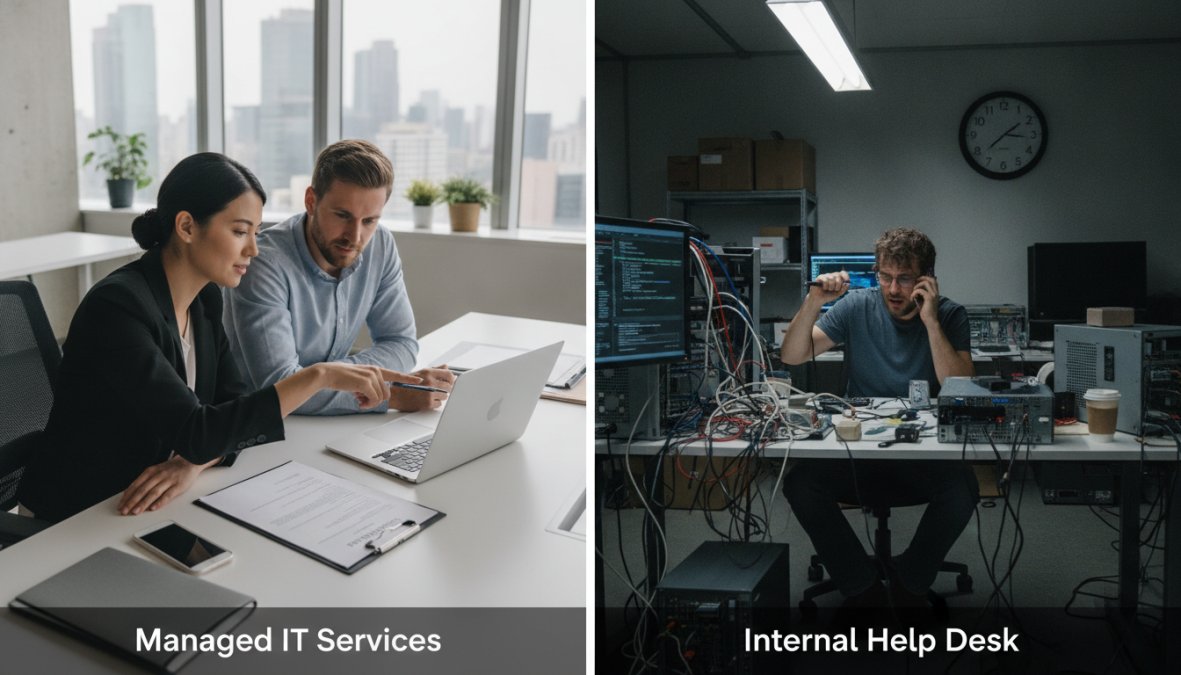
Managed IT Services vs Internal Help Desk: Pros and Cons
The choice between a managed service provider and an internal help desk is one of the most consequential IT decisions a growing business makes. Both models have genuine strengths, and the right answer depends on your size, budget, risk profile, and technical complexity.
Managed IT Services (MSP)
Pros:
- 24/7 coverage without staffing overnight shifts
- Access to a broad team with varied technical expertise
- Predictable monthly cost with no recruitment overhead
- Scalable solutions that grow with your business
- Proactive monitoring included as standard
Cons:
- Less embedded knowledge of your specific business processes
- Response may be slower for highly specialised or bespoke systems
- Contractual constraints on scope of work
Internal Help Desk
Pros:
- Deep familiarity with your organisation and its users
- Immediate physical presence for hardware issues
- Direct alignment with business priorities
Cons:
- Coverage gaps during evenings, weekends, and holidays
- Higher total cost once salary, benefits, training, and tools are included
- Single points of failure when key staff are absent
- Limited breadth of expertise across all technology areas
Hybrid Support Models: Getting the Best of Both
The hybrid support model combines an internal IT resource with an outsourced managed service provider, often the most practical answer for businesses that have grown beyond the capacity of a single internal technician but aren’t ready to fully outsource.
A common structure places day-to-day user support and hardware management with an internal person, while the MSP handles proactive monitoring, security, out-of-hours cover, and specialist escalations. For businesses in Diss and the surrounding region, a hybrid model with Ibertech Solutions means local on-site support is available when needed, while 24/7 monitoring and remote access capability operates continuously in the background.
How to Choose the Right 24/7 IT Support Provider Near You
Choosing the right IT support provider is a decision worth taking seriously. The wrong choice costs more than the contract value: it costs you the incidents that weren’t prevented and the hours spent managing a supplier relationship that isn’t working.
Here are the criteria that matter most:
-
Coverage genuinely means 24/7. Ask specifically: who answers the phone at 2am on a Sunday? Is it a staffed operations centre or an answering service that logs a ticket for Monday morning?
-
SLA terms are specific and enforceable. Look for defined response time targets by priority level with financial remedies attached.
-
Proactive monitoring is included, not an add-on. Any provider positioning monitoring as a premium feature is selling you reactive support with a proactive label.
-
They understand your industry and compliance requirements. A provider supporting a healthcare practice needs familiarity with data handling obligations; one supporting a financial services firm needs to understand relevant regulatory standards.
-
Local presence matters for physical support. Remote access resolves most issues, but hardware failures and network infrastructure work require someone on-site. For businesses in Diss and across Norfolk and Suffolk, a provider with local engineers is a meaningful advantage.
-
References from businesses of similar size and complexity. Ask for two or three client references and actually call them, specifically about incident response times and how the provider handled a significant outage.
-
Transparent pricing with no hidden fees. Understand exactly what is included in the monthly fee and what triggers an additional charge.
According to [Federation of Small Business(/small-business-it-solutions)es guidance on IT procurement | fsb.org.uk], small businesses that take a structured approach to IT supplier selection report significantly higher satisfaction and fewer contract disputes than those who select on price alone.
Unreliable IT support is one of the most avoidable sources of business disruption, yet many businesses in Diss and across Norfolk and Suffolk are still operating without round-the-clock coverage. Ibertech Solutions provides IT support 24/7 for business with local engineers, proactive system monitoring, flexible virtual and on-site support, and bespoke solutions tailored to your specific infrastructure. If you want systems that stay secure, up to date, and available when your customers need them, CALL US TODAY.
Frequently Asked Questions
What is 24/7 IT support for business?
IT support 24/7 for business means having access to technical assistance at any hour of the day or night, every day of the year. This typically includes remote monitoring of your IT infrastructure, help desk support for staff, incident response, cybersecurity management, and proactive maintenance. It is usually delivered by a Managed Service Provider (MSP) and backed by a Service Level Agreement (SLA) that defines response times and resolution targets.
Do small businesses really need 24/7 IT support?
Many small businesses assume round-the-clock cover is only for large enterprises, but even a few hours of system downtime can mean lost sales, damaged client relationships, and security breaches. If your business relies on cloud services, eCommerce, or remote staff, a single overnight outage or cyberattack can cause significant revenue disruption. Outsourced IT support through an MSP makes 24/7 coverage affordable and scalable for businesses of all sizes.
How much does 24/7 IT support cost for a business?
Managed IT services pricing varies depending on the number of users, devices, and the scope of services included. Most MSPs charge a fixed monthly fee per user or per device, making costs predictable. Entry-level packages covering basic monitoring and help desk access tend to be more affordable, while fully managed plans including cybersecurity, data recovery, and dedicated account management sit at a higher price point. Always compare what each SLA includes before deciding on a provider.
What is the difference between a help desk and 24/7 IT support?
A traditional help desk is reactive, staff log support tickets and wait for a technician to respond during business hours. IT support 24/7 for business goes further by combining a round-the-clock help desk with proactive monitoring, automated threat detection, and preventative IT maintenance. This means issues are often identified and resolved before they affect your team, rather than waiting for someone to report a problem.
What should I look for in an IT support service level agreement (SLA)?
A strong IT support SLA should clearly define response times for different incident severities, uptime guarantees, escalation procedures, and out-of-hours coverage. Look for guaranteed first-response times of under one hour for critical issues and resolution targets tied to priority levels. The SLA should also specify how performance is reported and what remedies apply if targets are missed. Always read the small print around exclusions before signing.