Table of Contents
- Why IT Downtime Hits Small Businesses Harder Than You Think
- How to Reduce IT Downtime for Small Business: The Core Framework
- Using an IT Downtime Cost Calculator to Build the Business Case
- Network Monitoring Tools for Small Business: What to Use and Why
- Building a Business Continuity Plan Template That Actually Works
- Your IT Disaster Recovery Checklist: Step-by-Step
- How to Reduce IT Downtime for Small Business Through Proactive Support
- Conclusion: Stop Downtime Before It Stops Your Business
Last Updated: June 12, 2026
Unplanned IT downtime is one of the most disruptive and costly problems a small business can face, yet most owners only address it after something has already gone wrong. Knowing how to reduce IT downtime for small business is not a luxury reserved for large enterprises. Ibertech Solutions has helped businesses across Norfolk and Suffolk build proactive IT strategies that keep systems running, revenue flowing, and customers happy.
IT downtime is any period during which critical business systems, networks, or applications are unavailable or underperforming to the point that normal operations cannot continue.
The five strategies in this guide address the full lifecycle of downtime prevention, from infrastructure audits to disaster recovery. Businesses that apply all five consistently report far fewer unplanned outages.
Why IT Downtime Hits Small Businesses Harder Than You Think
Small businesses carry a disproportionate burden when systems fail. Large organisations have redundant infrastructure, dedicated IT teams, and cash reserves to absorb disruption. Most small businesses have none of those buffers.
A single hour of downtime during peak trading means missed orders, unanswered calls, and customers who go elsewhere, and in tightly-knit communities like Diss, reputational damage travels fast. Many small businesses rely on a single broadband connection, one server, or a single cloud account with no failover. Avoiding proactive IT support feels sensible until you calculate the real cost: lost revenue, wasted staff time, emergency call-out fees, and potential data loss. According to Gartner’s research on IT downtime costs, the cost of IT downtime can be significant enough to threaten continuity for smaller organisations, making prevention far cheaper than recovery.
Relying on a single internet connection without a 4G or secondary broadband failover is the most common single point of failure we see in small business networks. When that connection drops, everything stops.
Small businesses are not too small to need proper IT resilience. They’re too small to survive without it.
How to Reduce IT Downtime for Small Business: The Core Framework
The most effective approach follows three sequential steps. Skip any one and your strategy has gaps.
Step 1: Audit Your Current IT Infrastructure
An IT infrastructure audit is a systematic review of every hardware device, software application, network component, and cloud service your business depends on. For each item, record:
- Age and warranty status
- Last update or patch applied
- Current backup status
- Who is responsible for maintenance
Many businesses discover during this audit that they’re running software that hasn’t been updated in years, or hardware well past its replacement cycle. Both are ticking clocks.
Step 2: Identify Your Single Points of Failure
A single point of failure (SPOF) is any component whose failure would halt your entire operation or a critical part of it. Common SPOFs in small businesses include:
- A single broadband line with no backup connection
- One staff member who holds all admin passwords
- A local server with no offsite backup
- Cloud storage tied to a single account with no multi-factor authentication
Identifying SPOFs lets you address vulnerabilities in order of priority.
Step 3: Prioritise Systems by Business Impact
Not every system carries equal weight. Rank systems by asking: if this fails right now, what stops working and for how long can we operate without it?
| System | Business Impact (1-5) | Recovery Complexity (1-5) | Priority Score |
|---|---|---|---|
| Internet connection | 5 | 2 | High |
| Email platform | 5 | 3 | High |
| Accounting software | 4 | 3 | High |
| File server/cloud storage | 4 | 4 | High |
| Printer network | 2 | 1 | Low |
Address high-priority items first, this is where investment in resilience delivers the greatest return.
Using an IT Downtime Cost Calculator to Build the Business Case
Numbers change conversations. When the cost of downtime is abstract, it’s easy to deprioritise IT investment. When it’s concrete, the business case becomes obvious.
An IT downtime cost calculator gives you a structured way to estimate what each hour of disruption actually costs. The basic formula:
Hourly Downtime Cost = (Annual Revenue / Working Hours Per Year) + Staff Cost Per Hour x Number of Affected Employees
A business turning over £400,000 annually with 2,000 working hours per year loses roughly £200 in revenue per hour, before accounting for staff wages, emergency IT support, or customer churn. Many small business owners discover that a single day of downtime costs more than a full year of proactive IT support.
The IT downtime cost calculator is most persuasive when you include indirect costs: staff productivity loss, emergency contractor fees, and the estimated value of customers who don’t return after a poor experience.
According to the Ponemon Institute’s research on the true cost of downtime, businesses consistently underestimate total outage costs when they only account for direct revenue loss, missing the broader operational impact.
Network Monitoring Tools for Small Business: What to Use and Why
Proactive monitoring is the single most effective way to catch problems before they become outages. Network monitoring tools continuously check system health and alert you, or your IT support provider, the moment something looks wrong.
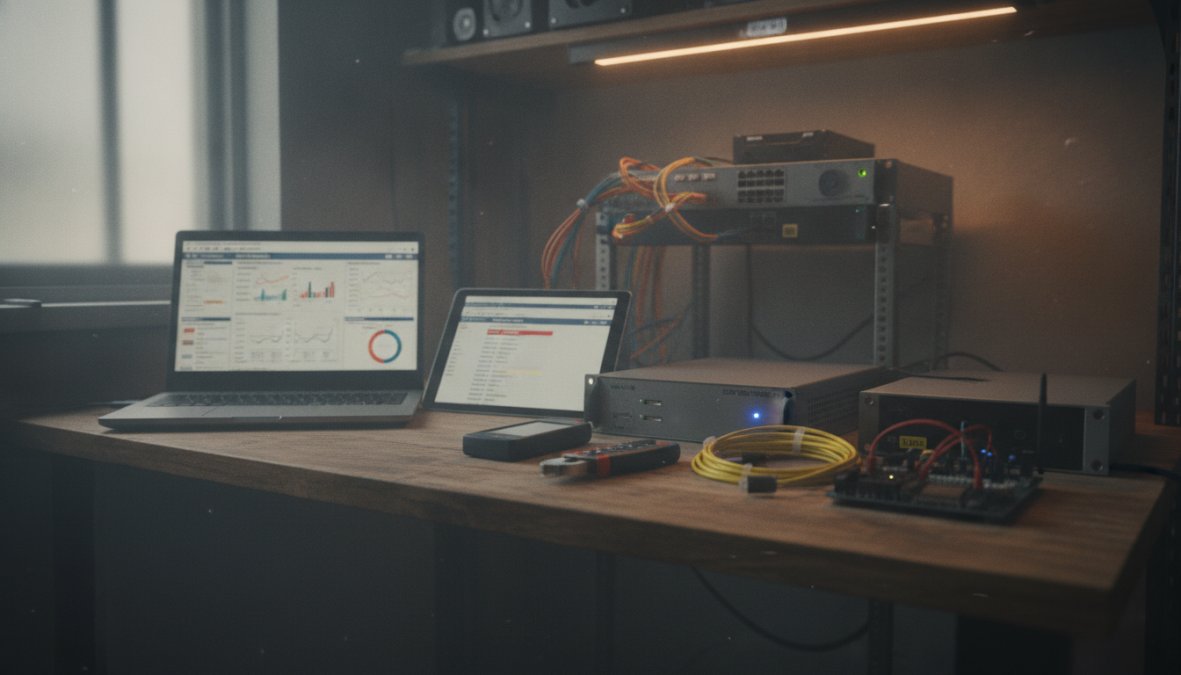
The tools worth knowing about fall into a few categories:
Remote Monitoring and Management (RMM) platforms watch your devices, servers, and network in real time. Platforms like NinjaRMM and ConnectWise Automate flag failing hard drives, unusual network traffic, and software conflicts before they cause outages.
Network performance monitors such as PRTG Network Monitor or SolarWinds track bandwidth usage, latency, and device availability, useful for identifying bottlenecks before they slow your team down.
Cloud service monitors check the uptime and performance of SaaS tools your business depends on, including Microsoft 365, accounting platforms, and CRM systems.
Managed IT Support vs. DIY Monitoring: Which Is Right for You?
DIY monitoring using free or low-cost tools is achievable for businesses with a technically capable owner or staff member, but the risk is alert fatigue and misinterpretation, without the expertise to act correctly, alerts get ignored or mishandled.
Managed IT support means a professional team monitors your systems continuously, responds to alerts, and resolves issues, often before you’re aware of a problem. For most small businesses in Diss and the wider Norfolk and Suffolk area, this is the more reliable path: predictable cost, faster response, and expertise always available. The value lies not just in catching problems, but in the trend analysis that prevents the same problem recurring.
Building a Business Continuity Plan Template That Actually Works
A business continuity plan (BCP) is a documented strategy defining how your business will continue operating during and after a significant disruption. A BCP that genuinely works is not a lengthy compliance document, it’s a practical, accessible reference your team can act on under pressure.
Key Elements Every Small Business BCP Must Include
- Critical business functions – Processes that must continue: order processing, customer communications, payroll, and data access.
- Recovery time objectives (RTOs) – Maximum acceptable downtime per function. "Email must be restored within 2 hours" is actionable. "As soon as possible" is not.
- Recovery point objectives (RPOs) – How much data loss is acceptable. If accounting data is backed up nightly, your RPO is 24 hours, is that acceptable?
- Key contacts and responsibilities – Who calls the IT support provider? Who notifies customers? Who accesses backup systems?
- Backup and recovery procedures – Step-by-step instructions for restoring systems, including where backups are stored and how to access them.
- Communication plan – How you notify staff, customers, and suppliers during an outage.
- Testing schedule – A BCP that has never been tested won’t work when you need it. Schedule at least one tabletop exercise per year.
According to the UK Government’s guidance on business continuity management, organisations that regularly test their continuity plans recover from disruptions significantly faster than those that do not.
Store a printed copy of your BCP somewhere physically accessible, not just on the systems that might be down when you need it. A laminated one-page quick-reference card kept near the server is genuinely useful under pressure.
Your IT Disaster Recovery Checklist: Step-by-Step
An IT disaster recovery checklist is the operational companion to your BCP. Where the BCP covers strategy, the checklist covers execution, what your team actually follows when something goes wrong.
Pre-Incident (Ongoing Preparation)
- All critical data backed up to at least two locations (one offsite or cloud-based)
- Backup restoration tested within the last 90 days
- All system admin credentials stored securely in a password manager accessible to at least two people
- Contact details for IT support provider confirmed and up to date
- Secondary internet connection (4G router or secondary broadband) configured and tested
- Software licences and renewal dates documented
During an Incident
- Identify the scope: which systems are affected and which are still operational
- Contact IT support provider immediately, do not attempt DIY fixes on critical systems
- Activate communication plan: notify affected staff and, if necessary, customers
- Document the timeline: note when the issue started and what changed before it began
- Switch to backup systems or manual processes as defined in your BCP
Post-Incident
- Confirm full system restoration and data integrity
- Conduct a post-incident review: what failed, why, and what would prevent recurrence
- Update BCP and recovery documentation based on lessons learned
- Review and adjust monitoring alerts if the incident was not caught proactively
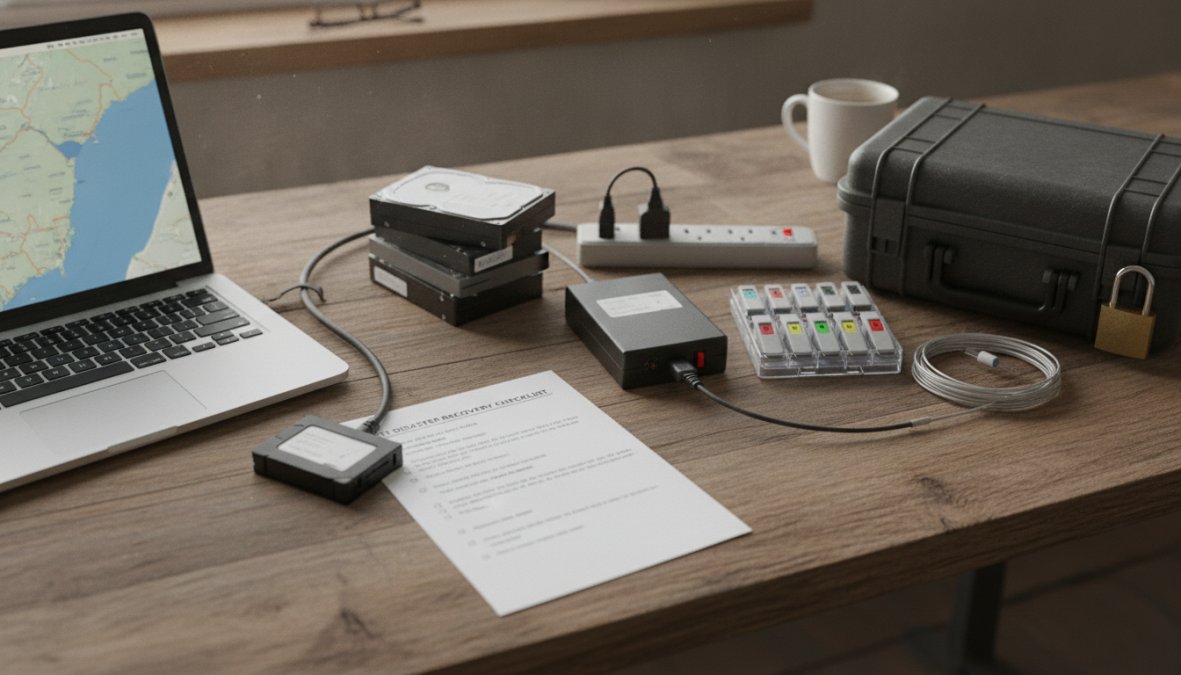
The checklist above is a starting template. Your actual checklist should be tailored to your specific systems and team structure, a customised one is what actually gets used.
How to Reduce IT Downtime for Small Business Through Proactive Support
Reactive IT support is the most expensive kind. You pay for the emergency call-out, absorb the downtime, and deal with the fallout. Proactive support flips the model: problems are identified and resolved before they cause disruption. This requires continuous monitoring, regular maintenance, and a trusted support relationship.
Regular maintenance tasks that prevent downtime include:
- Scheduled OS and software updates applied outside business hours
- Hard drive health checks and predictive replacement before failure
- Network equipment firmware updates
- Periodic review of user access rights and removal of dormant accounts
- Quarterly review of backup integrity
The value of proactive IT support is largely invisible, you don’t see the outage that didn’t happen or the ransomware attack that was blocked. That invisibility makes it easy to undervalue, right up until the moment you need it.
What to Look for in a Local IT Support Partner
For businesses in Diss and across Norfolk and Suffolk, local IT support carries practical advantages remote-only providers cannot match.
A local IT support partner should offer:
- On-site response capability – Some issues cannot be resolved remotely. A provider who can physically attend your premises within hours matters.
- Clear SLA commitments – Response times should be defined in writing. "We’ll get back to you" is not a service level agreement.
- Proactive monitoring as standard – Not just break-fix. Your provider should be watching your systems before you report a problem.
- Transparent pricing – Fixed monthly fees are easier to budget than unpredictable hourly rates.
- Local knowledge – A provider familiar with Norfolk and Suffolk understands the connectivity challenges and infrastructure constraints common in the region.
According to the Federation of Small Businesses guidance on IT resilience, small businesses that work with dedicated IT support partners experience fewer extended outages and recover more quickly when incidents do occur.
Ask any prospective IT support provider for their average response time over the last quarter, not just their SLA target. The gap between the two tells you more than any brochure.
Conclusion: Stop Downtime Before It Stops Your Business
Unplanned IT outages cost small businesses far more than the immediate disruption suggests, and those that suffer most are the ones that never built a prevention strategy. Applying the framework in this guide, from infrastructure audits and single-point-of-failure analysis to a tested business continuity plan and proactive monitoring, puts you firmly in control.
Ibertech Solutions provides dedicated IT support for businesses in Diss and across Norfolk and Suffolk, with 24/7 availability, flexible on-site and virtual support, and proactive system monitoring designed to keep your operations running without interruption. Our local team understands the specific challenges facing businesses in this region and builds solutions around your exact needs, not off-the-shelf packages.
If you’re ready to stop reacting to IT problems and start preventing them, contact the Ibertech Solutions team today. CALL US TODAY to discuss how our IT support service can protect your business from the disruption and cost of unplanned downtime.
Frequently Asked Questions
What are the most common causes of IT downtime for small businesses?
The most common causes of IT downtime for small businesses include hardware failures, software crashes, human error, power outages, cyberattacks such as ransomware or phishing, and poor network configuration. Many of these are preventable with proactive measures like regular maintenance, staff training, reliable backups, and network monitoring tools. Identifying your specific vulnerabilities through an IT audit is the first step to reducing IT downtime for small business operations effectively.
How do I create an IT disaster recovery checklist for a small business?
A solid IT disaster recovery checklist should cover: identifying critical systems and data, defining recovery time objectives (RTOs), documenting backup locations and restoration procedures, assigning roles and responsibilities, listing emergency contacts including your IT support provider, and scheduling regular test restores. Review and update the checklist at least twice a year. A local IT support partner can help you build and maintain this so it stays relevant as your business grows.
How often should small businesses back up their data to prevent downtime?
Small businesses should back up critical data at least daily, with cloud-based solutions enabling near-continuous or hourly backups for the most important files. The right frequency depends on how much data your business can afford to lose, known as your Recovery Point Objective (RPO). As a minimum, follow the 3-2-1 rule: keep three copies of data, on two different media types, with one stored offsite or in the cloud.
What network monitoring tools are suitable for small businesses?
Small businesses can benefit from tools such as PRTG Network Monitor, Auvik, or managed monitoring services provided by a local IT support company. These network monitoring tools for small business alert you to issues like bandwidth spikes, device failures, or unusual traffic before they cause outages. For businesses without in-house IT staff, outsourcing monitoring to a managed service provider is often the most cost-effective and reliable option, ensuring 24/7 visibility without the overhead.
Is a business continuity plan really necessary for a small business?
Yes, a business continuity plan template is essential even for small businesses. Without one, an unexpected IT failure, flood, or cyberattack can halt operations for days or weeks. A BCP ensures your team knows exactly what to do, which systems to restore first, and how to keep serving customers during disruption. Many small businesses in Norfolk and Suffolk have avoided serious financial losses simply by having a basic, well-practised continuity plan in place.