
Table of Contents
- What Makes the Best Website Design for Ecommerce
- Key Elements of High-Converting Ecommerce Stores
- Ecommerce UX Design Principles That Drive Results
- Ecommerce Product Page Design Best Practices
- High-Converting Ecommerce Website Examples and Inspiration
- Ecommerce Website Design Best Practices for Checkout Flow
- Technical SEO and Design Integration
- Designing for Your Industry: Industry-Specific Patterns
Best Website Design for Ecommerce: 2026 Guide
Last Updated: July 6, 2026
Creating an effective online store requires balancing aesthetics with conversion-focused functionality, user experience with technical performance, and brand identity with customer psychology. At Ibertech Solutions, we’ve worked with businesses across Norfolk and Suffolk to understand what separates stores that thrive from those that struggle to convert visitors into paying customers.
The most overlooked aspect of ecommerce design isn’t the homepage. It’s the product page. Stores that obsess over product page clarity and trust signals see 18-35% higher [conversion rate](/ecommerce-conversion-rate-optimization)s than those that focus only on brand aesthetics.
What Makes the Best Website Design for Ecommerce
Ecommerce website design is about moving people from curiosity to purchase. Research from Baymard Institute’s ecommerce research shows that cart abandonment rates exceed 70% across most industries, with design friction accounting for a significant portion of that loss.
The best designs reduce friction at every stage of the customer journey: clear navigation helps visitors find products, product pages answer questions before they’re asked, and checkout flows feel inevitable rather than laborious. High-converting sites share specific details: page load speed matters (one-second delays cost 7% of conversions), trust signals matter, and mobile responsiveness matters because over 60% of ecommerce traffic comes from mobile devices.
According to Adobe’s Digital Economy Index, companies investing in ecommerce design improvements see average revenue increases of 15-25% within the first year. For a store doing $500K in annual revenue, that’s $75K-$125K in additional sales from design alone.
Best website design for ecommerce removes barriers between what customers want and their ability to buy it.
Key Elements of High-Converting Ecommerce Stores
High-converting ecommerce stores rest on five core elements working in harmony.
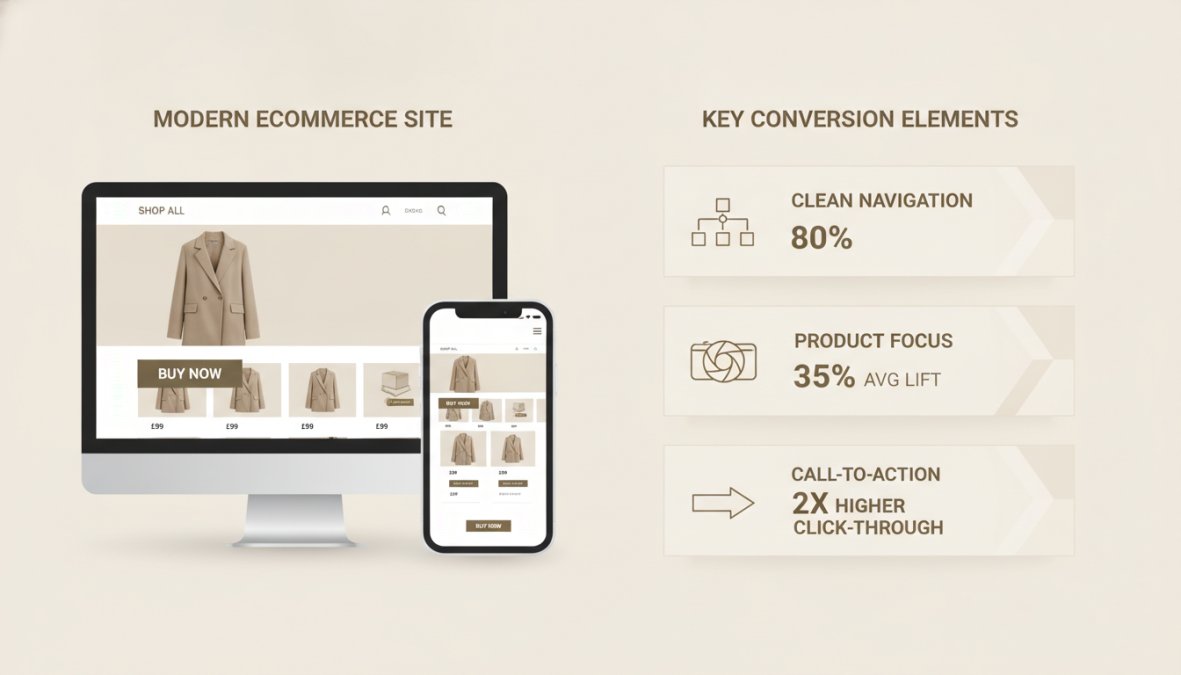
Navigation and Site Architecture
Visitors should find what they’re looking for in three clicks or fewer. Your site architecture should reflect how customers think about your products, not internal business organization. Use clear category names, avoid jargon, and implement breadcrumb navigation. Search functionality becomes critical once your catalog exceeds 50-100 products, with autocomplete suggestions and attribute filters helping customers find exactly what they need.
Mobile-Responsive Design Essentials
Mobile-first design is now table stakes. Your store must work flawlessly on phones and tablets with readable text (minimum 16px font size), tappable buttons (minimum 48×48 pixels), and smooth checkout flows. Many stores lose 40-50% of mobile visitors simply because their checkout requires excessive zooming and scrolling. Test on actual devices, not just browser emulators.
Ecommerce UX Design Principles That Drive Results
Visual Hierarchy and Branding
Your homepage should communicate three things within five seconds: what you sell, why customers should care, and what they should do next. Use size, color, contrast, and whitespace to guide attention. Your most important call-to-action should be visually dominant. Branding matters for recognition and trust, but never compromise usability for brand aesthetics.
Trust Signals and Social Proof
Display customer reviews prominently on product pages. Show recent purchase notifications, clear return policies, security badges, and contact information. Professional product photography builds trust far more than generic stock images. Consider adding a money-back guarantee, which increases conversions by removing the customer’s fear of loss.
Fake reviews destroy trust permanently. Use only genuine customer feedback, even if you have fewer reviews than competitors.
Ecommerce Product Page Design Best Practices
Your product page is where browsers become buyers and deserves your greatest attention.
Product Information and Imagery
Start with professional photography showing multiple angles with zoom capability and lifestyle images. Write product descriptions that answer customer questions: What’s it made of? How does it fit? What problem does it solve? Include specifications clearly: dimensions, weight, materials, colors, and relevant certifications.
Call-to-Action Optimisation
Your "Add to Cart" button should be visually prominent, use action-oriented language, and appear multiple times on longer product pages. The button color should contrast sharply with the page background. Consider what happens after customers click, do they see confirmation and can they continue shopping easily?
High-Converting Ecommerce Website Examples and Inspiration
Understanding best website design for ecommerce becomes clearer when you see it in action.
Shopify merchants consistently rank among the highest-converting stores because the platform forces best practices. WooCommerce stores that perform well typically invest in professional design beyond default templates. BigCommerce-powered stores excel at handling complex product catalogs with advanced filtering.
High-converting stores share specific patterns regardless of platform: large, professional product images, intuitive navigation, prominent trust signals, simplified checkout, and mobile experiences that match desktop quality. These stores treat design as a business tool, not an art project.
Stores with 50-500 products that prioritize conversion over aesthetic experimentation.
Ecommerce Website Design Best Practices for Checkout Flow
Simplifying the Purchase Journey
Limit checkout to three steps: cart review, shipping/billing, and payment. Allow guest checkout, forcing account creation loses 25% of customers immediately. Show progress clearly with visual indicators. Display trust signals throughout checkout and offer multiple payment methods including digital wallets and buy-now-pay-later options.
Post-Purchase UX: Building Long-Term Customer Loyalty
Send immediate confirmation emails with order details and tracking information. Follow up with shipping notifications and delivery confirmation. Request reviews 7-10 days after delivery. Consider post-purchase email sequences suggesting complementary products or offering loyalty rewards.
Technical SEO and Design Integration
Page Speed and Core Web Vitals
Ecommerce sites should load in under 3 seconds on mobile networks. Optimize images aggressively using modern formats like WebP, implement lazy loading, and serve appropriately sized images to different devices. Minimize CSS and JavaScript, use a content delivery network, and enable browser caching. Test Core Web Vitals regularly, these metrics directly influence Google rankings and user experience.
If you’re uncertain whether your current site meets these technical standards, a Free SEO Audit can identify performance gaps and provide actionable recommendations for improvement.
Accessibility and WCAG Compliance
Accessible design reaches a wider audience and often improves conversion rates. Implement proper heading hierarchy for screen readers, use alt text for images, ensure color isn’t the only way to convey information, and make forms clearly labeled and keyboard-navigable.
Designing for Your Industry: Industry-Specific Patterns
Fashion stores benefit from large imagery and inspiration-focused layouts with customer reviews showing products on real people. Food and beverage stores need clear ingredient and sourcing information. Technology stores need detailed specifications and comparison tools. B2B stores need clear categorization and technical documentation.
The underlying principles remain constant: reduce friction, build trust, prioritize what matters to your customers, and optimize for both desktop and mobile.
Designing an ecommerce store that converts requires balancing aesthetics, functionality, and customer psychology. The stores that succeed treat design as a strategic business tool. Whether building from scratch or redesigning, the principles covered here, clear navigation, mobile-first design, trust signals, and simplified checkout, consistently drive results.
If you’re looking to implement these best practices but lack in-house expertise, Web Design services from Ibertech Solutions offer bespoke website development tailored to ecommerce businesses. Our team in Diss understands the specific challenges of online retail. Get in touch with Ibertech Solutions today to discuss how we can improve your ecommerce design and increase your revenue.
| Design Element | Impact on Conversion | Priority Level |
|---|---|---|
| Mobile responsiveness | 15-25% improvement | Critical |
| Product page clarity | 20-30% improvement | Critical |
| Checkout simplification | 25-35% improvement | Critical |
| Trust signals | 10-18% improvement | High |
| Page speed | 7-12% improvement | High |
| Navigation clarity | 8-15% improvement | High |
| Visual hierarchy | 5-10% improvement | Medium |
Frequently Asked Questions
What are the key elements of a successful ecommerce website design?
The best website design for ecommerce combines intuitive navigation, mobile-responsive layouts, clear product pages, and streamlined checkout flows. Essential elements include high-quality product imagery, trust signals (customer reviews, security badges), fast page speed, accessible design, and strategic use of whitespace and typography. Visual hierarchy guides customers toward conversion actions, whilst minimalist design reduces friction. Every element should support the customer journey from discovery to purchase.
How does ecommerce UX design impact conversion rates?
Ecommerce UX design principles directly influence conversion rates by reducing friction in the customer journey. Poor navigation causes abandonment, whilst confusing checkout flows increase cart abandonment rates. Effective UX design ensures customers find products easily, understand product benefits quickly, and complete purchases without obstacles. Mobile-responsive design is critical, over 60% of ecommerce traffic comes from mobile devices. Trust signals and clear CTAs increase confidence in purchasing decisions. Studies consistently show that streamlined UX improves both conversion rates and customer lifetime value.
Why is mobile-first design important for ecommerce websites?
Mobile-first design is essential because most ecommerce traffic originates from smartphones and tablets. A mobile-responsive design ensures your store functions seamlessly across all devices, preventing poor user experiences that lead to lost sales. Mobile-first approaches prioritise fast loading times, simplified navigation, and thumb-friendly buttons, all critical for on-the-go shoppers. Google prioritises mobile-responsive sites in search rankings, making it vital for both user experience and SEO. Without mobile optimisation, you lose customers and search visibility.
What should I look for when designing an ecommerce product page?
Effective ecommerce product page design includes multiple high-quality images from different angles, clear product descriptions highlighting benefits, customer reviews and ratings, pricing transparency, and prominent add-to-cart buttons. Include size guides, shipping information, and return policies to build trust. Use visual hierarchy to guide attention toward the CTA. Minimise distractions and unnecessary elements. Ensure fast loading times and mobile optimisation. Product pages should answer customer questions before they ask, reducing support inquiries and increasing confidence in purchasing decisions.