
Table of Contents
- Why Generic Website Templates Fall Short
- Custom Web Design vs Templates: Understanding the Difference
- No-Code Website Development Tools: A Practical Overview
- Benefits of Bespoke Website Design for Your Business
- Low-Code Solutions: The Middle Ground
- Performance and Security: Hidden Costs of Generic Templates
- Migration Challenges: Moving Beyond Template Lock-In
- Comparing Top Alternatives to Generic Website Templates
Alternatives to Generic Website Templates: A 2026 Guide
Last Updated: June 27, 2026
When businesses outgrow generic website templates, they discover a frustrating truth: limitations that felt acceptable at launch become genuine obstacles to growth. At Ibertech Solutions, we’ve spent years helping Norfolk and Suffolk businesses move beyond off-the-shelf designs. Alternatives to generic website templates aren’t just about aesthetics, they’re about control, performance, and scalability.
This guide explores practical alternatives available in 2026, from no-code platforms to low-code solutions, and helps you determine which approach fits your business needs.
Why Generic Website Templates Fall Short
Most website templates prioritise broad appeal over precision. They lock you into predetermined structures, making custom features difficult to add and customer journey optimisation nearly impossible.
Performance suffers because templates carry bloat, unused features, code you can’t remove, and animations that slow mobile visitors. Security becomes problematic when your site runs on a template shared by thousands of businesses, making you dependent on the template creator’s update schedule.
Generic templates often fail at scale. As your business grows, you’ll hit limits: traffic capacity, customisation constraints, or maintenance overhead that becomes untenable. Planning a migration later costs significantly more than choosing the right approach now.
Custom Web Design vs Templates: Understanding the Difference
Custom web design means building specifically for your business. A bespoke website design isn’t a template with modifications, it’s architecture built from your requirements outward.
With custom design, you control the entire stack. Your site loads at the speed your customers need, features work exactly as designed, and you’re not inheriting technical debt. The trade-off is upfront investment and timeline.
If your business has a unique sales process, complex product catalogue, or specific compliance requirements, bespoke design pays for itself within 12-18 months through improved conversion rates and reduced maintenance overhead.
No-Code Website Development Tools: A Practical Overview
No-code platforms have fundamentally changed what’s possible without traditional programming. These tools let non-technical users build sophisticated sites by connecting visual components and logic flows instead of writing code.
Visual Builders for Design Control
Visual builders prioritise the design experience. Webflow and Framer exemplify this approach, giving you professional-grade design control without touching code.
Webflow’s professional design capabilities allows you to build custom interactions, manage dynamic content through a CMS, and export clean code. It’s powerful for high-end marketing sites, portfolios, and interactive experiences.
Framer takes a design-first approach that feels like Figma. If you’re coming from a design background, the workflow feels natural. You can build high-fidelity interactive sites quickly, though backend capabilities are limited compared to Webflow.
Squarespace’s Fluid Engine grid system offers a middle ground, beautiful design templates with enough flexibility for most small businesses, best suited for creatives and service businesses where the template foundation is strong.
Full-Stack No-Code Platforms
Bubble represents the opposite end of the spectrum. Instead of prioritising design control, Bubble prioritises functional depth. You can build full web applications with databases, user authentication, complex logic, and API integrations, all without writing traditional code.
The learning curve is steep, but that complexity pays off if you’re building an MVP, a SaaS product, or a platform with custom workflows. Bubble’s full-stack web application capabilities makes it suitable for founders and product teams who need to validate ideas quickly.
Duda optimises specifically for agencies building multiple client sites, with white-label capabilities and client portals. For individual businesses, it’s oversized.
Benefits of Bespoke Website Design for Your Business
Moving beyond templates opens possibilities that generic solutions don’t support. Your website becomes an extension of your business process rather than a constraint on it.
Conversion optimisation becomes possible when your site is built around your actual customer journey. Integration becomes seamless, your website can connect directly to your CRM, accounting software, booking system, or any other tool your business uses, with data flowing automatically.
Bespoke design allows you to implement features that differentiate your business, custom calculators, interactive tools, integrations with your backend systems, that templates simply don’t support.
Maintenance and security improve because you control the entire codebase. You can patch vulnerabilities immediately and avoid carrying code for unused features.
Low-Code Solutions: The Middle Ground
Low-code platforms sit between no-code builders and traditional development, reducing the amount of coding required while maintaining flexibility that pure no-code tools can’t offer.
Elementor for WordPress exemplifies this approach. It’s a visual page builder that runs on top of WordPress, allowing non-technical users to design pages visually while developers can drop into code when needed. That flexibility makes it powerful for teams with mixed skill levels.
WordPress and Elementor ecosystem documentation shows the platform’s maturity, but site performance depends heavily on which plugins you choose, and security requires discipline.
Wix Studio represents a more modern low-code approach, designed for agencies and professional creators who need responsive design systems, custom CSS capabilities, and client management tools. The key to low-code success is matching the platform to your team’s skills.
Performance and Security: Hidden Costs of Generic Templates
Generic templates prioritise ease of use over performance. They ship with unused features, animations that slow mobile visitors, and code bloat that adds kilobytes to every page load.
Performance matters because it affects conversion rates directly. A generic template might load in 4 seconds on desktop, while a custom-built site does it in 1.2 seconds. Security works similarly, generic templates are targets, while custom code has smaller attack surface because you’re not carrying code for unused features.
A site built on a generic template with five plugins requires approximately 8-12 hours per month of maintenance work. A custom-built site with the same functionality requires 2-3 hours monthly. Over three years, that’s 240 hours of labour difference.
Migration Challenges: Moving Beyond Template Lock-In
The hardest part of moving beyond templates is leaving the old one. Your content is usually trapped in the template’s database, and your URL structure is baked into the template.
The migration process typically involves: content audit, content export and reformatting, design recreation, URL mapping and redirect setup, testing across browsers and devices, and staged rollout.
For a site with 50+ pages, expect 40-80 hours of migration work. For 200+ pages, it’s 200+ hours. Plan for eventual migration from day one by choosing platforms that support content export and keeping your content structure clean.
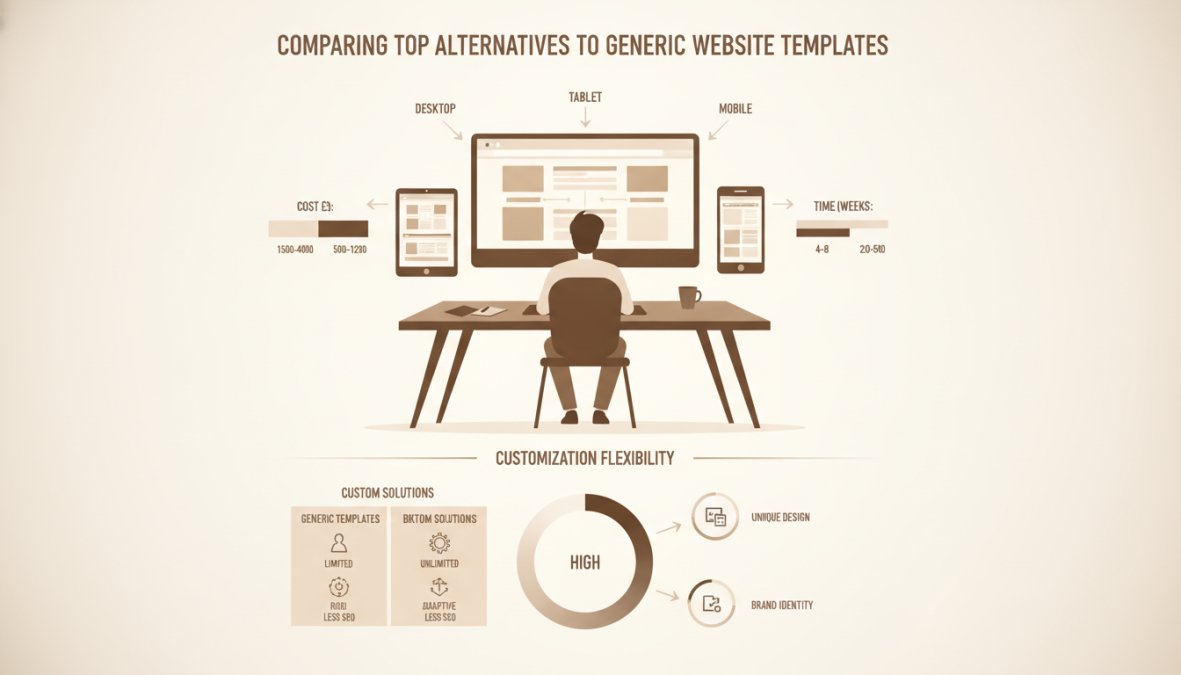
Comparing Top Alternatives to Generic Website Templates
| Platform | Best For | Key Strength | Primary Limitation |
|---|---|---|---|
| Webflow | Designers building custom sites | Design flexibility and code control | Steep learning curve |
| Framer | Design-first interactive sites | Intuitive design workflow | Limited backend capabilities |
| Wix Studio | Agencies managing multiple projects | Client management and responsiveness | Less design freedom than Webflow |
| Bubble | Full-stack web applications | Functional depth and customisation | Very steep learning curve |
| Elementor (WordPress) | WordPress users needing visual control | Massive plugin ecosystem | Site bloat and maintenance overhead |
| Duda | Agencies building at scale | White-label and workflow optimisation | Less suitable for individual businesses |
Webflow: Professional-Grade Design Freedom
Webflow gives designers complete control over layout, interactions, and animations without touching code. The CMS is powerful for managing dynamic content, and the interactions engine handles animations that feel native. Hosting is fast, using a global CDN that keeps sites snappy across regions.
The limitation is the learning curve. Webflow assumes you understand design principles and responsive design.
Framer: Design-First Interactive Sites
Framer feels like a design tool because it is one. If you’re coming from Figma, the workflow is familiar. Built-in AI agents can generate layouts based on your content, accelerating the design process.
The trade-off is backend simplicity. Framer isn’t designed for complex databases or business logic, making it excellent for marketing sites, landing pages, and portfolios.
Wix Studio: Agency-Ready Platform
Wix Studio is designed for teams, with multi-site management, team collaboration tools, and client portals. The responsive design system is strong, and custom CSS and Velo (Wix’s JavaScript environment) let developers extend functionality when needed.
The design interface is less flexible than Webflow, but for many projects, that constraint is acceptable.
Bubble: Full-Stack Web Applications
Bubble lets you build applications without traditional programming. You define data structures, build workflows, create user interfaces, and integrate APIs, all visually. It’s genuinely powerful for MVPs and SaaS products.
The learning curve is steep, but once you understand it, you can build almost anything. Performance can be a limitation as your application scales.
Elementor for WordPress: Familiar Ecosystem
Elementor transforms WordPress into a visual page builder. If you’re already comfortable with WordPress, adding Elementor is straightforward. The plugin ecosystem is both strength and weakness, thousands of extensions add functionality, but managing them becomes complex and performance degrades.
Duda: Agency-Focused White-Label Solution
Duda is purpose-built for agencies with white-label client portals and team collaboration tools. Dynamic page generation and personalisation let you create sites that adapt to visitor context.
The design flexibility is less than Webflow, and backend capabilities are less than Bubble, but Duda balances both reasonably well for agency workflows.
Making the Right Choice for Your Business
The best alternative to generic website templates depends on your specific situation. Consider these questions:
Do you need design flexibility or functional complexity? If you’re building a marketing site or portfolio, design control matters most. Webflow or Framer are better choices. If you’re building an application, Bubble is the right choice.
Do you have design or development expertise? If you’re a designer, Framer or Webflow work well. If you’re a developer, low-code platforms like Elementor or Wix Studio let you extend functionality efficiently. If you’re neither, Wix Studio or Squarespace offer gentler learning curves.
Are you building for yourself or managing client projects? If you’re an agency, Duda or Wix Studio optimise for that workflow. If you’re building your own site, choose based on your skills and project requirements.
What’s your timeline? If you need something live quickly, Framer or Wix Studio move fastest. If you have time for a learning curve, Webflow’s flexibility pays off long-term.
What’s your budget for ongoing maintenance? Custom development costs more upfront but less to maintain. No-code platforms cost less upfront but require ongoing platform fees. Calculate total cost of ownership over three years.
Choosing alternatives to generic website templates is fundamentally about matching your platform to your actual needs rather than accepting a solution designed for everyone. The real cost isn’t the initial platform fee, it’s the opportunity cost of a site that doesn’t reflect your business accurately, performs poorly, or becomes a maintenance burden.
At Ibertech Solutions, we help Norfolk and Suffolk businesses move beyond templates through bespoke website design built specifically for your business process. Whether you need a custom-coded site or guidance on choosing the right no-code platform, our team understands the trade-offs and can help you avoid costly mistakes. Get in touch with Ibertech Solutions today to discuss which approach makes sense for your business.
Frequently Asked Questions
Why should you avoid generic website templates?
Generic website templates often limit customisation, perform poorly on Core Web Vitals, and create security vulnerabilities due to bloated code. They lack scalability for growing businesses and make migration to new platforms extremely difficult. Additionally, thousands of competitors may use identical designs, harming your brand differentiation and SEO performance.
What is the best alternative to website builders for small businesses?
The best alternative depends on your technical skill and budget. No-code platforms like Webflow or Framer offer design control without coding. WordPress with Elementor provides flexibility and SEO advantages. For businesses wanting complete customisation without management overhead, bespoke website design from a professional agency ensures optimal performance, security, and scalability tailored to your exact needs.
How do no-code website development tools compare to custom coding?
No-code tools offer faster deployment and lower upfront costs, making them ideal for MVPs and small projects. However, custom coding provides superior performance optimisation, complete control over functionality, and better long-term scalability. No-code platforms may have limitations with complex logic or integrations, whereas custom solutions can handle unlimited customisation and typically have lower maintenance overhead once properly built.
What are the main benefits of bespoke website design?
Bespoke website design delivers complete customisation aligned with your brand identity and business goals. It optimises performance for Core Web Vitals, improves security, and scales effortlessly as your business grows. Bespoke sites rank better in search results, provide superior user experience, and eliminate vendor lock-in. You own the codebase entirely, ensuring long-term flexibility and reducing ongoing maintenance costs compared to template-dependent platforms.