
Table of Contents
- What Is a 24/7 IT Support Desk and Why Does It Matter?
- The Core Benefits of 24/7 IT Support Desk Services
- Proactive IT Monitoring: Fixing Problems Before They Happen
- Security, Cybersecurity Compliance, and Threat Mitigation Around the Clock
- IT Support Service Level Agreements: What to Expect and Demand
- IT Help Desk Best Practices That Maximise the Benefits
- Understanding 24/7 IT Support Cost: Is It Worth the Investment?
- Why Norfolk and Suffolk Businesses Choose Ibertech Solutions for 24/7 IT Support
Last Updated: June 14, 2026
Unplanned IT downtime costs businesses far more than most owners realise, and understanding the benefits of 24/7 it support desk services is the first step toward protecting your operations. At Ibertech Solutions, we work with businesses across Norfolk and Suffolk every day, and the pattern is consistent: companies without round-the-clock IT support lose productive hours, frustrated staff, and sometimes customers to problems that could have been resolved in minutes. Below, we’ll show you exactly how always-on IT support transforms business performance, what to look for in a service level agreement, and why the hybrid support model is the approach most guides overlook entirely.
The core argument is simple but often missed: 24/7 IT support is not a luxury for large enterprises. It is a baseline requirement for any business that depends on digital systems to serve customers or pay staff.
What Is a 24/7 IT Support Desk and Why Does It Matter?
A 24/7 IT support desk is a managed service providing continuous technical assistance every hour of every day, including weekends and bank holidays. Unlike standard business-hours helpdesks, it ensures incidents are logged, triaged, and resolved regardless of when they occur.
This distinction matters because modern businesses do not operate nine-to-five. Ecommerce transactions happen at midnight. Remote employees need access to shared systems. Automated processes run overnight. When these fail outside office hours, a business-hours-only IT team cannot respond.
A 24/7 IT support desk is typically delivered through one of three models:
- Fully in-house: A dedicated internal technical support team working in rotating shifts
- Fully outsourced: A managed service provider (MSP) handling all IT service management on your behalf
- Hybrid: A combination of on-site support for complex infrastructure issues and remote troubleshooting for software and connectivity problems
The hybrid model, covered in detail later, is increasingly the most practical choice for small and mid-sized businesses in Diss and across the wider East Anglian region.
According to Gartner’s IT infrastructure research and analysis, the average cost of IT downtime varies significantly by industry and business size, but the operational disruption is universal. Every minute a critical system is unavailable, someone in your organisation is waiting, working around the problem, or losing revenue.
The Core Benefits of 24/7 IT Support Desk Services
The benefits of 24/7 it support desk services fall into several distinct categories. The most immediate is downtime prevention, but the downstream effects on productivity, customer satisfaction, and security are equally significant.
Here is what businesses consistently gain when they move to always-on IT support:
- Reduced system downtime and stronger business continuity
- Improved employee productivity across the digital workplace
- Higher end-user satisfaction and better customer experience
- Lower operational costs through proactive incident management
- Scalable support that grows with the business
- Continuous cybersecurity monitoring and threat response

Each of these benefits compounds over time. A business that eliminates unplanned downtime also retains staff more effectively, because technical frustration is one of the most cited reasons employees leave digital workplaces.
1. Reduced Downtime and Stronger Business Continuity
When a server fails at 11pm on a Friday, a business with after-hours support has an engineer working on resolution within minutes. A business without it waits until Monday morning. Business continuity planning depends on rapid incident response, the faster the average resolution time, the smaller the operational impact of any given failure.
Many businesses assume their cloud provider’s uptime guarantee covers all failure scenarios. It does not. Network misconfigurations, software conflicts, and user-side authentication failures are all outside the scope of a cloud SLA. Without a 24/7 support desk, these issues can persist for an entire weekend.
2. Improved Employee Productivity in the Digital Workplace
The revealing metric is not resolved tickets but the cumulative time employees spend waiting for technical issues to be fixed. In a digital workplace, every role depends on functioning systems, sales teams need CRM access, finance staff need accounting software, customer service agents need telephony tools. When these fail and support is unavailable, productivity collapses. Always-on IT support eliminates this bottleneck, with first call resolution rates improving when engineers can diagnose issues remotely in real time.
3. Enhanced End-User Satisfaction and Customer Experience
What most guides miss is the indirect customer impact. When internal systems fail and staff cannot access the tools they need, customer-facing service quality drops immediately, response times slow, errors increase, and the customer experience deteriorates without any visible IT failure on the customer’s side. For businesses running ecommerce platforms, the link is even more direct: a checkout failure at 9pm on a Saturday is a lost sale that real-time support can prevent.
4. Cost Savings Through Operational Efficiency
The more accurate framing is: what does the absence of 24/7 support cost you? Unplanned downtime, emergency contractor call-outs, staff overtime, and lost sales all carry real price tags. A managed service provider delivering round-the-clock support typically costs less than the accumulated cost of reactive, unplanned IT interventions. Operational costs fall further when workflow automation is integrated, automated ticket routing, AI-powered resolution for common issues, and self-service portals reduce the volume of tickets requiring engineer time.
5. Scalable Support for Growing Businesses
An in-house IT team scales linearly with headcount, which is expensive. An outsourced or hybrid managed service scales with actual support demand. For businesses in Diss and the surrounding region, a new office location, remote workforce expansion, or seasonal spike can increase IT support demand overnight. A well-structured MSP arrangement handles that elasticity without requiring additional internal hires.
Proactive IT Monitoring: Fixing Problems Before They Happen
The reactive model of IT support, where engineers respond after something breaks, is the outdated approach. Proactive monitoring involves continuous surveillance of network infrastructure, server health, application performance, and endpoint security. When a monitored metric crosses a defined threshold, an alert fires and an engineer investigates before the issue becomes an outage.
Platforms like Freshservice and ServiceNow IT Service Management now incorporate AI-driven anomaly detection that identifies patterns invisible to manual review. For businesses without the resources to deploy enterprise-grade tooling internally, an MSP brings this capability as part of the service package.
Proactive IT monitoring typically covers:
- Server CPU, memory, and storage utilisation
- Network bandwidth and latency thresholds
- Backup job completion and data integrity checks
- SSL certificate expiry and domain renewal alerts
- Endpoint security status and patch compliance
Ask any prospective IT support provider to show you a sample monitoring report before signing a contract. A provider who cannot demonstrate what they monitor and how they alert is not genuinely offering proactive support, regardless of what their marketing says.
Security, Cybersecurity Compliance, and Threat Mitigation Around the Clock
Cybersecurity is not a nine-to-five concern. The majority of successful cyberattacks occur outside business hours, precisely because that is when defences are least attended. A 24/7 IT support desk with integrated security monitoring closes this window.
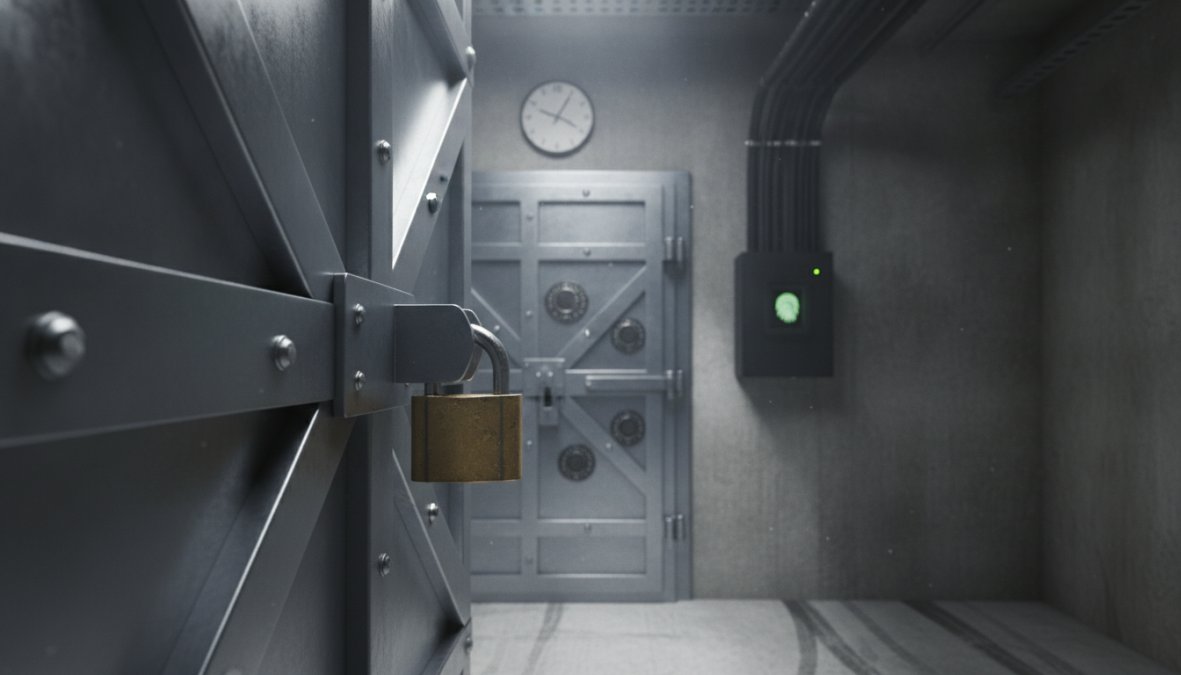
According to the UK National Cyber Security Centre’s guidance on incident response, organisations that detect and contain security incidents quickly suffer significantly less damage than those that discover breaches hours or days later. Response time is the single most important variable in breach impact.
How After-Hours Support Closes the Security Window
After-hours support is the mechanism by which ransomware is contained before it spreads, phishing-compromised accounts are locked before data is exfiltrated, and suspicious network activity is investigated before it becomes a breach. Vulnerabilities disclosed on a Friday afternoon are actively exploited over the weekend, an IT support operation that patches only during business hours leaves a 60-plus-hour window of exposure every week. For businesses in regulated sectors, financial services, healthcare, or legal, many frameworks require demonstrable incident response capability at all times, not just during office hours.
IT Support Service Level Agreements: What to Expect and Demand
IT support service level agreements (SLAs) are the contractual foundation of any managed IT relationship, defining response times, resolution targets, escalation paths, and consequences of missed commitments. The metrics that matter most are:
- First response time: How quickly an engineer acknowledges an incident after it is logged
- Average resolution time: How long it takes to fully resolve an issue, not just acknowledge it
- Uptime guarantees: The percentage of time covered systems are expected to be operational
- Escalation procedures: The process for moving unresolved tickets to senior engineers or specialist teams
A well-structured SLA differentiates between incident priorities. A complete system outage affecting all staff should carry a different response commitment than a single user unable to print.
Metrics Beyond CSAT: Measuring Real IT Support Performance
CSAT scores are useful but incomplete, a user might rate an interaction positively because the engineer was friendly, even if the underlying issue recurred three days later. The metrics that reveal genuine IT support performance include:
| Metric | What It Measures | Why It Matters |
|---|---|---|
| First call resolution rate | Issues resolved without escalation | Indicates engineer capability and knowledge base quality |
| Mean time to resolution (MTTR) | Average time from ticket open to close | Reflects operational efficiency |
| Repeat incident rate | Same issue recurring within 30 days | Identifies root-cause resolution quality |
| Ticket backlog volume | Unresolved tickets at any given time | Signals capacity and workload management |
| Proactive vs reactive ticket ratio | Monitoring-generated vs user-reported | Measures how preventative the service actually is |
A mature IT service management operation tracks all five. If your current provider reports only CSAT and ticket volume, you are not seeing the full picture.
IT Help Desk Best Practices That Maximise the Benefits
The benefits of 24/7 it support desk services are not automatic, they depend on how the support operation is structured and run. A well-maintained knowledge base is the foundation: when engineers can access documented solutions to common issues, first call resolution rates improve and average resolution time falls. Ticketing system discipline is equally important, every interaction, including phone calls, should generate a ticket, making it possible to identify recurring problems and hold the support team accountable to SLA commitments. Workflow automation then handles the administrative overhead, freeing engineers to focus on resolution rather than administration.
According to HDI’s research on IT support centre practices and benchmarks, organisations that invest in knowledge management and automation see measurable improvements in both resolution speed and end-user satisfaction scores.
Hybrid Support Models: Combining On-Site and Remote Troubleshooting
Remote troubleshooting handles the majority of software, connectivity, and access issues quickly and cost-effectively. On-site support is reserved for hardware failures, physical infrastructure work, and situations where remote access is not possible. For businesses near Diss and across Norfolk and Suffolk, a hybrid model with a local provider is the most practical arrangement, remote support provides immediate response at any hour, while on-site attendance is measured in minutes or hours, not days.
The hybrid model is not a compromise. It is the most efficient support architecture for most small and mid-sized businesses, combining the speed of remote resolution with the capability of on-site intervention when it is genuinely needed.
Understanding 24/7 IT Support Cost: Is It Worth the Investment?
The 24/7 IT support cost question is best answered by inverting it: what is the cost of not having it? Pricing varies based on the number of users covered, infrastructure complexity, and scope of services included, with most MSPs offering tiered packages from basic monitoring and helpdesk access through to fully managed infrastructure with security compliance.
The investment case is clearest when you account for:
- Avoided downtime costs: Lost productivity and revenue during unplanned outages
- Avoided emergency call-out fees: Ad-hoc contractor rates for out-of-hours incidents
- Reduced internal IT overhead: Staff time spent on IT issues rather than core business tasks
- Improved security posture: Reduced risk of costly breaches and compliance failures
For growing businesses, the scalability of managed IT support means the cost per user typically falls as the business grows, unlike an in-house team where costs scale linearly.
Why Norfolk and Suffolk Businesses Choose Ibertech Solutions for 24/7 IT Support
Businesses looking for IT support near me in Norfolk and Suffolk have a clear choice in Ibertech Solutions. Based in Diss, the team provides flexible virtual and on-site support options, meaning local businesses get the hybrid model described above without coordinating between multiple providers.
The Ibertech Solutions IT support service covers the full range of business IT needs: systems kept up-to-date to prevent downtime, proactive monitoring to catch issues before they affect operations, and bespoke solutions tailored to each business rather than a one-size-fits-all package. For businesses that also need UK-based web hosting or website support, both services are available from the same local team.
For a complete picture of what managed IT support looks like in practice, the IT Infrastructure Library (ITIL) framework documentation provides the industry-standard methodology that underpins professional IT service management.
Frequently Asked Questions
What are the main benefits of a 24/7 IT support desk?
The main benefits of 24/7 IT support desk services include reduced system downtime, stronger business continuity, improved employee productivity, and faster incident resolution. Businesses also gain proactive monitoring that catches technical glitches before they escalate, enhanced cybersecurity protection outside office hours, and scalable support that grows with their needs, all underpinned by clearly defined service level agreements.
Is 24/7 IT support necessary for small businesses?
For many small businesses, 24/7 IT support is increasingly essential rather than optional. Even a few hours of unexpected system downtime can result in lost revenue, damaged customer trust, and reduced employee morale. A managed service provider offering after-hours support and proactive monitoring means small teams are not left exposed overnight or at weekends, without the cost of hiring a full in-house technical support team.
What is the difference between reactive and proactive 24/7 IT support?
Reactive IT support responds to issues after they occur, a user reports a problem and the help desk resolves it. Proactive IT support uses continuous monitoring, automated alerts, and regular system checks to identify and resolve potential failures before users are affected. Proactive monitoring typically delivers lower average resolution times, higher first call resolution rates, and significantly better business continuity outcomes compared to purely reactive models.
How do IT support service level agreements protect my business?
IT support service level agreements (SLAs) set contractual expectations around response times, average resolution time, and 24/7 availability. A well-structured SLA ensures your managed service provider is accountable for performance, defines escalation procedures for critical incidents, and gives you measurable benchmarks beyond basic end-user satisfaction scores. Always look for SLAs that specify first call resolution targets and clearly outline out-of-hours support obligations.
Does 24/7 IT support help with cybersecurity threats?
Yes, cybersecurity threats do not follow business hours. A 24/7 IT support desk with proactive monitoring can detect unusual network activity, respond to ransomware alerts, and apply emergency patches at any time of day or night. This round-the-clock vigilance is particularly important for businesses handling sensitive customer data or subject to compliance requirements, where an undetected after-hours breach can have serious legal and financial consequences.
How much does 24/7 IT support typically cost?
The cost of 24/7 IT support varies depending on the size of your business, the complexity of your infrastructure, and whether you opt for a fully outsourced managed service provider or a hybrid support model. Outsourcing to a local provider like Ibertech Solutions is generally more cost-effective than maintaining an in-house team around the clock, as it removes recruitment, training, and out-of-hours staffing overheads while still delivering full IT service management coverage.
Unplanned downtime, security gaps, and reactive IT management are costing Norfolk and Suffolk businesses more than they realise. Ibertech Solutions provides 24/7 IT support from a local team in Diss, with flexible virtual and on-site options, proactive monitoring, and systems kept up-to-date to prevent the failures that disrupt operations. CALL US TODAY to find out how always-on IT support can protect your business.